You've often invested millions in your brands. At the same time, you want your customer to know they're communicating with you during any interaction. By default, Signi displays pages for identification and document signing and sends related e-mails in the branding of www.signi.com.
When you activate the Custom branding feature, you can "dress up" both of these in your own style. Signers then know they're signing with you, while you also strengthen awareness of your brand.
Interested in this extension feature? Contact us.
Setup procedure
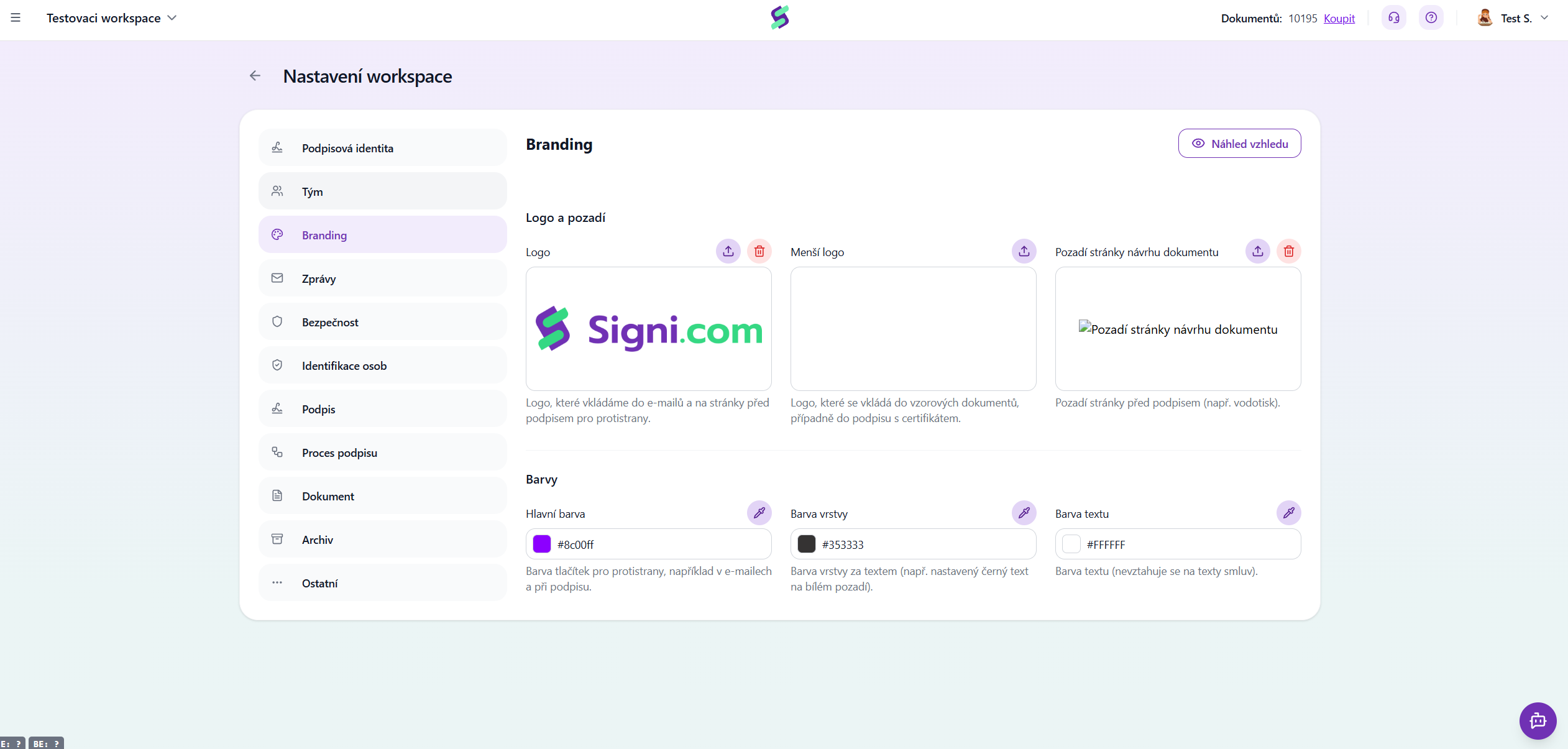
Have you activated the paid Custom branding feature in the app? Here you'll find a guide on how to work with the logo and images in the app. So that you can comfortably send personalized documents as soon as possible.
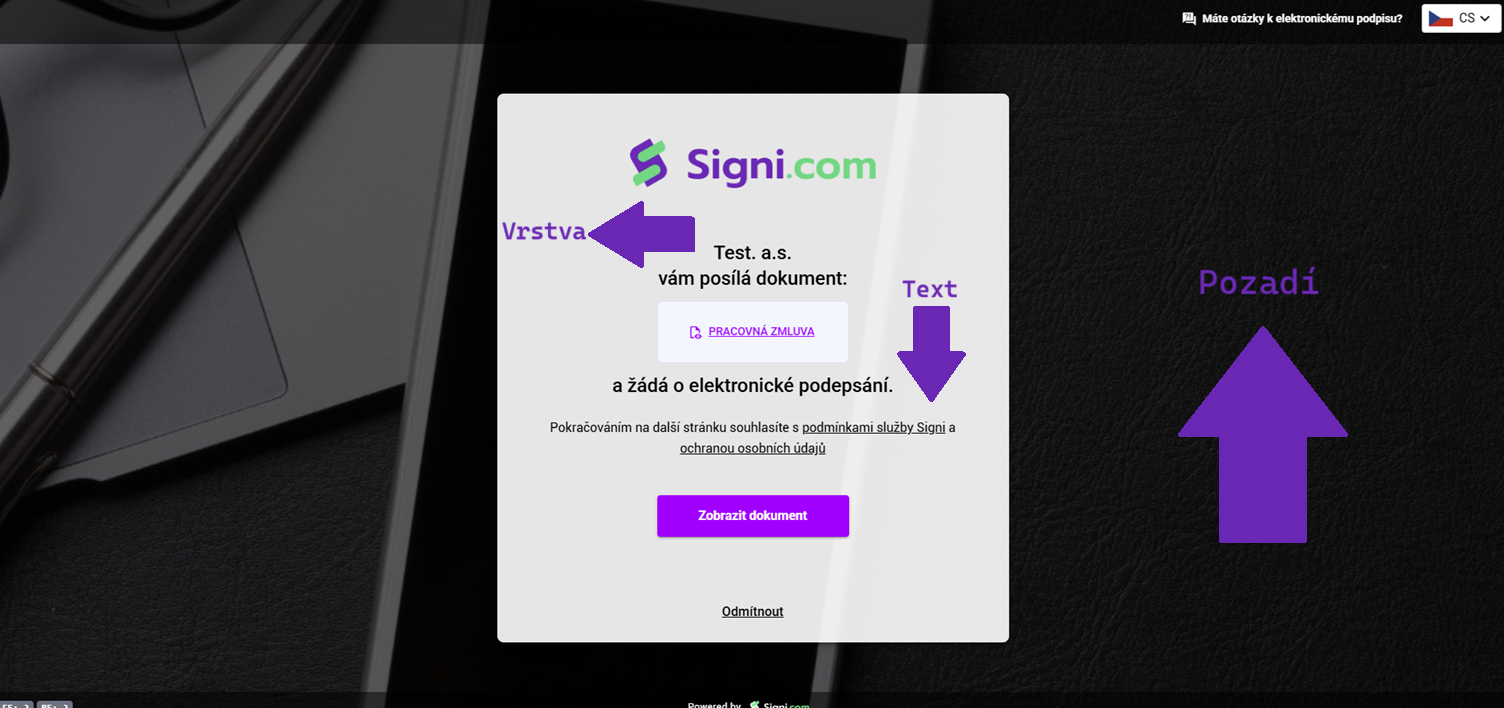
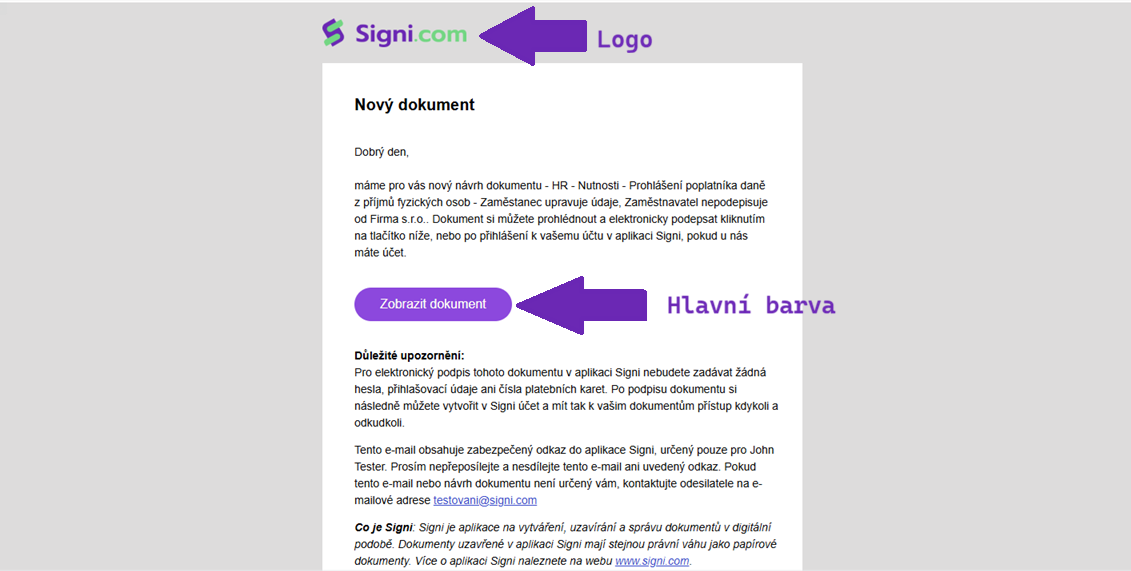
- The Logo is displayed above the profile photo.
- The Logo in the document automatically appears in the top left. But only if you have also enabled the Templates module - logo. This logo is also shown next to the signature if you have purchased signature branding.
- Page background in the document layout: should reach a minimum size of 1600x900, the recommended size is 3840x2160. See the example image above.
- Main color, i.e. the color of the buttons on the screen when the counterparty signs the document, is defined in HEX RGB. Alternatively, you can use the eyedropper to grab a color from your logo image.
- Layer color, i.e. the background color, is also in HEX RGB. Alternatively, you can use the eyedropper to grab a color from your logo image.
- Text color, i.e. the font colors on the pages and in e-mails, are also in HEX RGB. Alternatively, you can use the eyedropper to grab a color from your logo image.
You might also be interested in
Tips:
- What can be changed even without activated custom branding - message subjects and text, see Workspace settings > Messages
- Do you need your emails to be completely unique to you? Then Advanced custom branding will help you
Was this article helpful?
That’s Great!
Thank you for your feedback
Sorry! We couldn't be helpful
Thank you for your feedback
Feedback sent
We appreciate your effort and will try to fix the article