What is Bank Identity (BankID)
Bank Identity – BankID is a project of Czech banks under the umbrella of the Czech Banking Association, whose goal is to enable Czech banks to provide their customers with services for identity verification, document signing, or logging in to various online services.
Similar systems operate, for example, in the Scandinavian countries.
What is signing via BankID SIGN
One of the services provided by Bank Identity is document signing via BankID, referred to as BankID SIGN.
This is a genuine signature, i.e. an expression of will and a legal act. This is what distinguishes this service from BankID IDENTIFY, which serves only for remote identification — Signi verification
From a legal standpoint, it is an advanced electronic signature – i.e. a level lower than a qualified one, but higher than a simple one.
Advantages of BankID SIGN signing via Signi
Signi provides everything needed to manage electronically signed documents, i.e. their design, sending for signature according to a defined signing scenario, options for advanced identification up to the level of the AML Act, document records, their long-term archiving, ready-made integrations with frequently used systems (e.g. Microsoft 365, etc.), and corresponding APIs for integrations.
Signi customers do not have to do almost anything extra to use bank identity. There is no need to integrate with Bank Identity services; it is enough to set up the required data for using its services in Signi.
Electronic signing can thus be made available to the vast majority of the population, while all signed documents are processed in a uniform way in the same environment. If signatories cannot sign via BankID SIGN, other types of signatures can be used – signing via SMS, biometric, or qualified signatures, and they can possibly be combined with remote identification — Signi verification
How signing via BankID SIGN works – step by step
For the sender
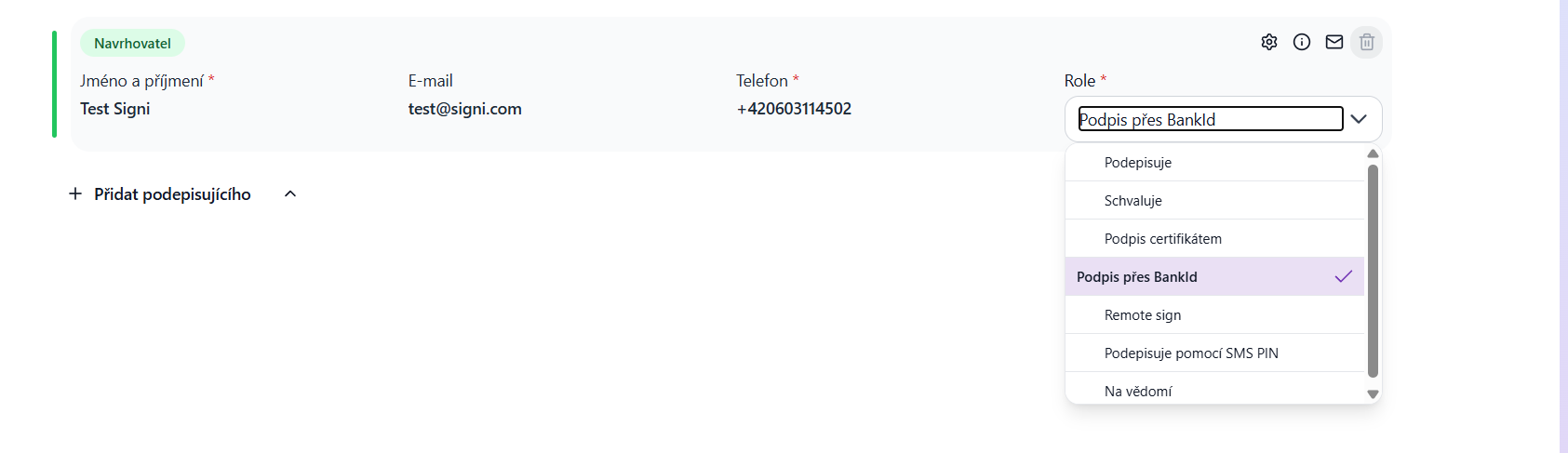
Sending documents for signature via BankID SIGN is a separately charged feature in Signi. If you have it active, a new signature type appears for individual signatories in the signing scenario for a document or set of documents: "Signing via BankID".
For signatories
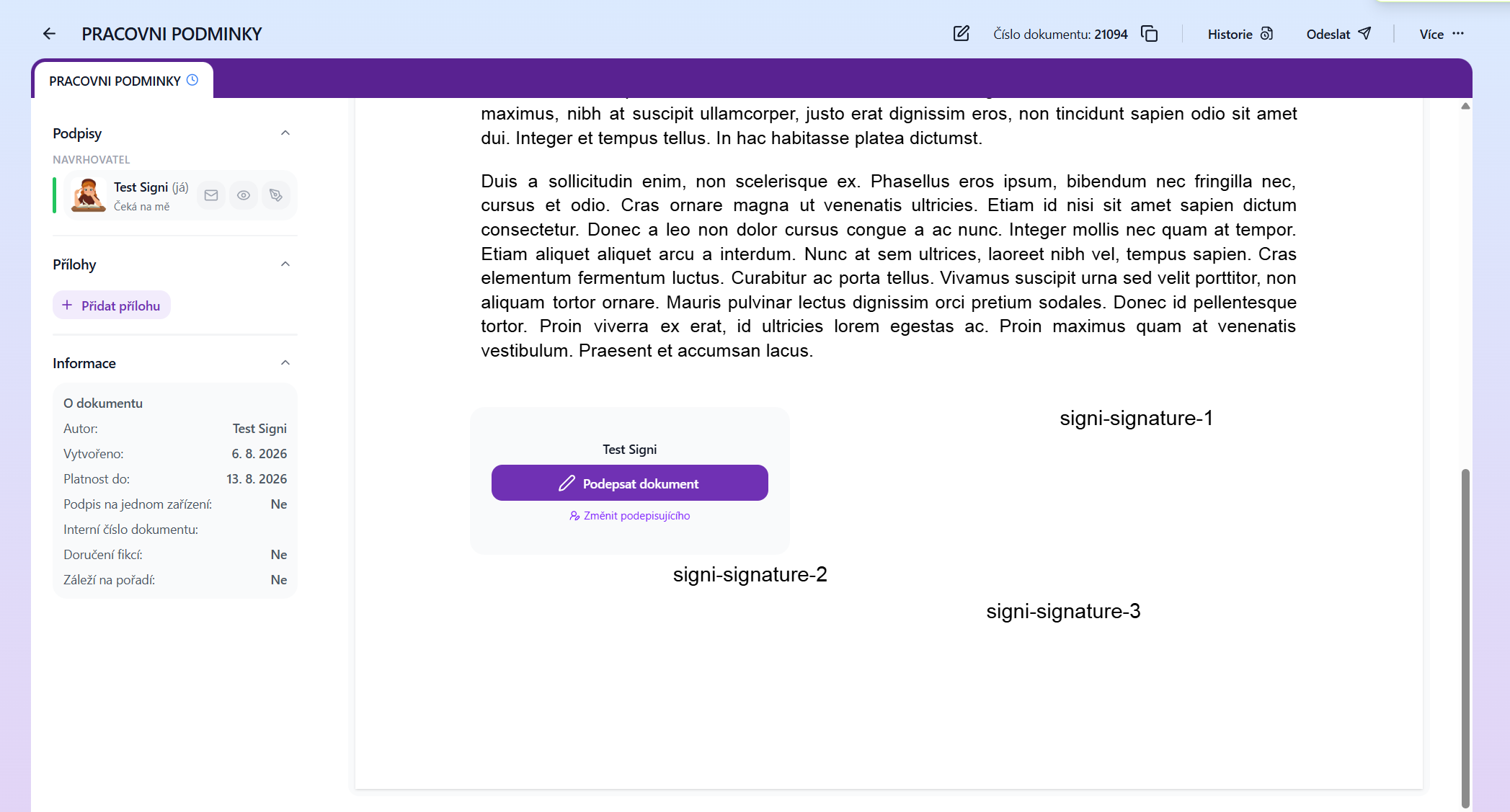
1. Displaying the document in Signi After receiving the signing request (by e-mail or SMS), open the document in Signi, review it, and click "Sign".
see Receiving a document for signature
2. On the BankID pages, select from banks that support BankID SIGN
After choosing to sign via BankID SIGN, a list of banks that support this service is displayed.

Selection of banks from those that allow signing via BankID SIGN.
3. On the BankID pages, details about the document being signed

4. On your bank's pages, log in to the banking application

5. On your bank's pages, you confirm your consent to sharing your personal data for the purpose of signing

6. On your bank's pages, a request to sign with the mobile key is displayed.

7. On the mobile key you confirm your signature on the document, similarly to how you confirm e.g. a payment.

8. On the Signi document signing pages, a confirmation of the document signing is displayed
After successfully confirming the signature with the mobile key, you are redirected to the final signing page in Signi. The document is then distributed for signature to the other signatories. If you were the last signatory, all signatories receive information about the completion of the document with their copy of the electronically signed document; for more see Receiving a document for signature.

The resulting document
After opening the resulting document, for example in Adobe Acrobat Reader, you will find information about the embedded certificates in the signature panel:
- one or more signatures (depending on the number of signatories) secured via BankID SIGN – they appear as unverified because they are not qualified signatures,
- the electronic seal of Bankovní identita a.s., the operator of the bankid.cz service,
- the electronic seal of Digital Factory s.r.o., the operator of the Signi.com service.
Electronic seals are not a legal act. They are merely a confirmation by the organization of (co-)authorship of the document, i.e. they can be referred to for information about authorship, see Electronic seals

Display of certificates in the resulting document.
Was this article helpful?
That’s Great!
Thank you for your feedback
Sorry! We couldn't be helpful
Thank you for your feedback
Feedback sent
We appreciate your effort and will try to fix the article