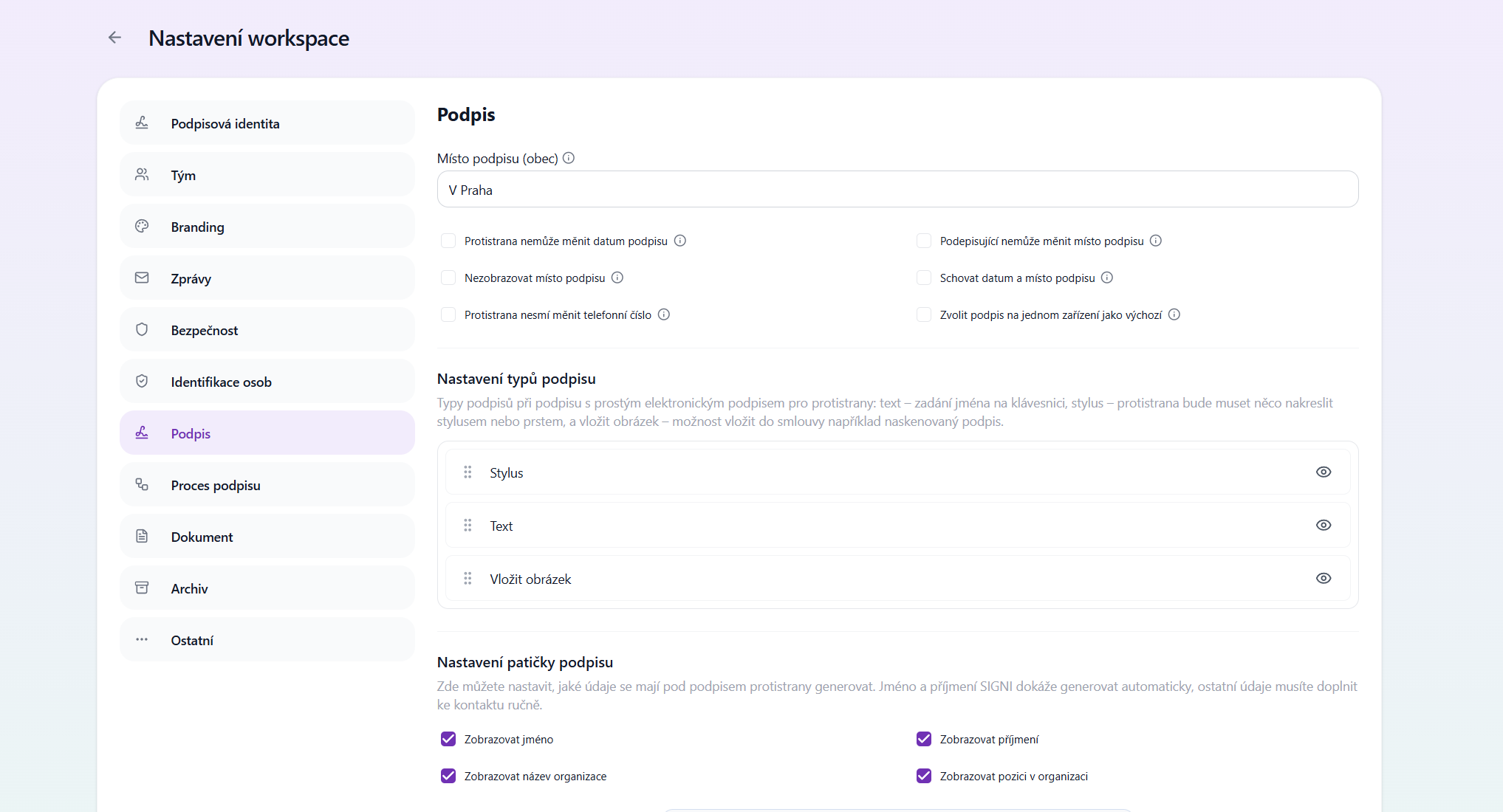
Place of signature (town)
Specifies the name of the place of signature including the preposition (e.g. "In Prague").
Counterparty cannot change the date of signature
If this option is enabled, the counterparty cannot change the date of signature. The document always uses the actual date of signature.
Do not display the place of signature
Option to not display the place of signature. Therefore, no text such as "In Prague" will appear above the signature.
Counterparty may not change the phone number
The counterparty cannot change the phone number provided when signing.
The signer cannot change the place of signature (town)
The signer cannot edit the place of signature.
Hide date and place of signature
Option to hide the text above the signature showing the date and place, e.g. "In Prague on 09.08.2026".
Mandatory signature on one device
Option to set a mandatory signature on one device. This setting applies globally to all documents.
Signature type settings
Signature types available to counterparties for a simple electronic signature:
- Text – entering the name using the keyboard
- Stylus / finger – the signer must draw the signature
- Insert image – option to insert, for example, a scanned signature
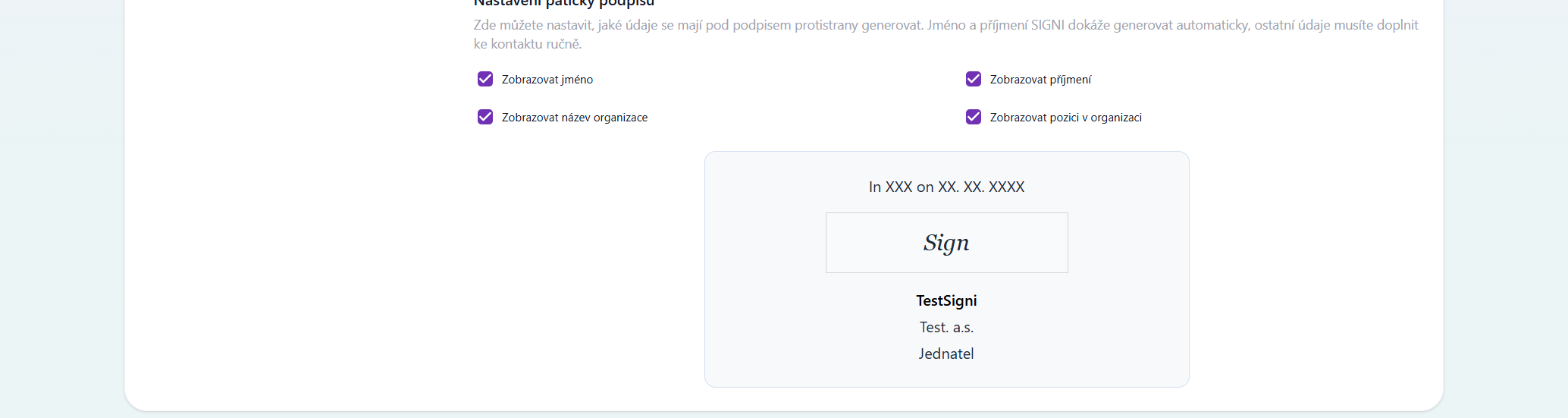
Signature footer settings
Here you can set what details should be generated below the counterparty's signature.
- First and last name are generated automatically
- Other details must be filled in manually for the contact
Was this article helpful?
That’s Great!
Thank you for your feedback
Sorry! We couldn't be helpful
Thank you for your feedback
Feedback sent
We appreciate your effort and will try to fix the article