When signing, it is sometimes useful for someone other than the signers or approvers to be aware of the document's signing status. This person is then listed in the signing scenario in the "For Information" role.
When to use "For Information"in sales, in HR, generally with customers, partners, suppliers
Backoffice prepares a business document and sends it for signing.HR prepares documents for employees.where someone else signs. Customers sign as counterparties, possibly also the proposer's statutory representative.Employees sign as counterparties, possibly also the proposer's responsible representative.other than the person with whom the cooperation is being negotiated andThe salesperson to whom the customer or business case belongs does not appear anywhere in the signing scenario, but needs information about the document's signing status.The team leader to whom the employee belongs does not appear anywhere in the signing scenario, but needs information about the document's signing status.who should nevertheless know the status of the document
The "For Information" role can be used in two situations:"For Information" representatives of counterparties"For Information" representatives of the proposer
In the first case, those who receive notifications about document changes do not have to be Signi users and do not need access to the workspace where documents are drafted.The second option is that salespeople or managers have a Signi account and are members of a team in the workspace where documents are drafted.Typically, this could be, for example, dozens of salespeople in a sales network.In the signing scenario, they are then listed as representatives of the proposer.In the signing scenario, they are then listed as representatives of the counterparty.It is more work — you need to add these users to Signi once and maintain their rights in another system. However, it has one significant advantage.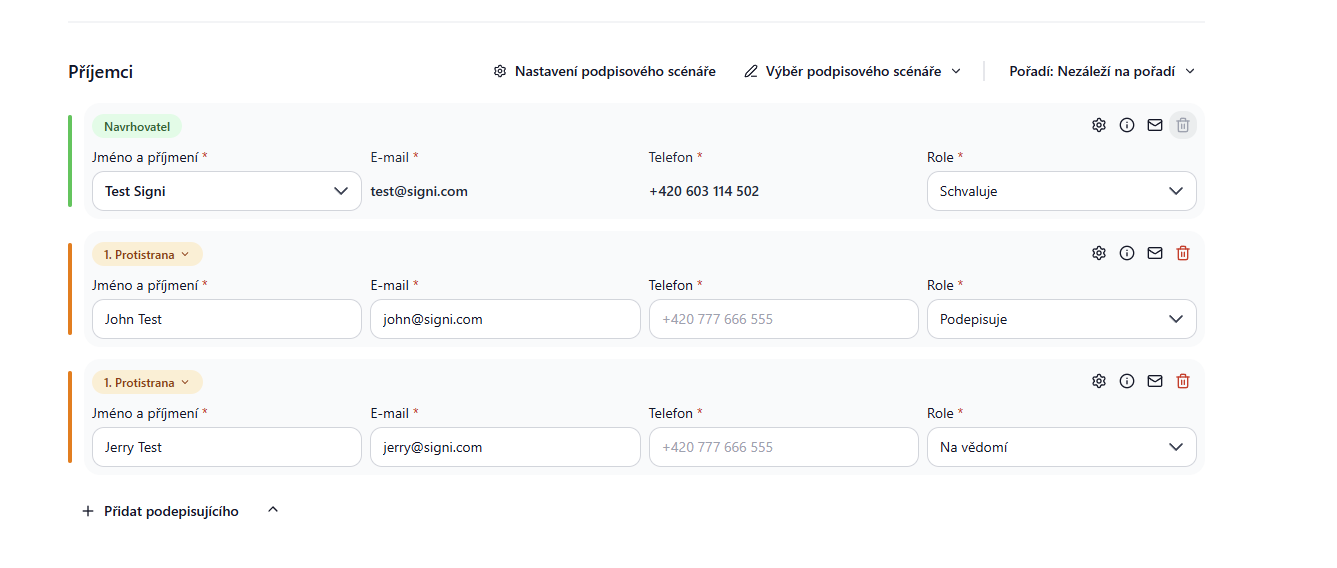
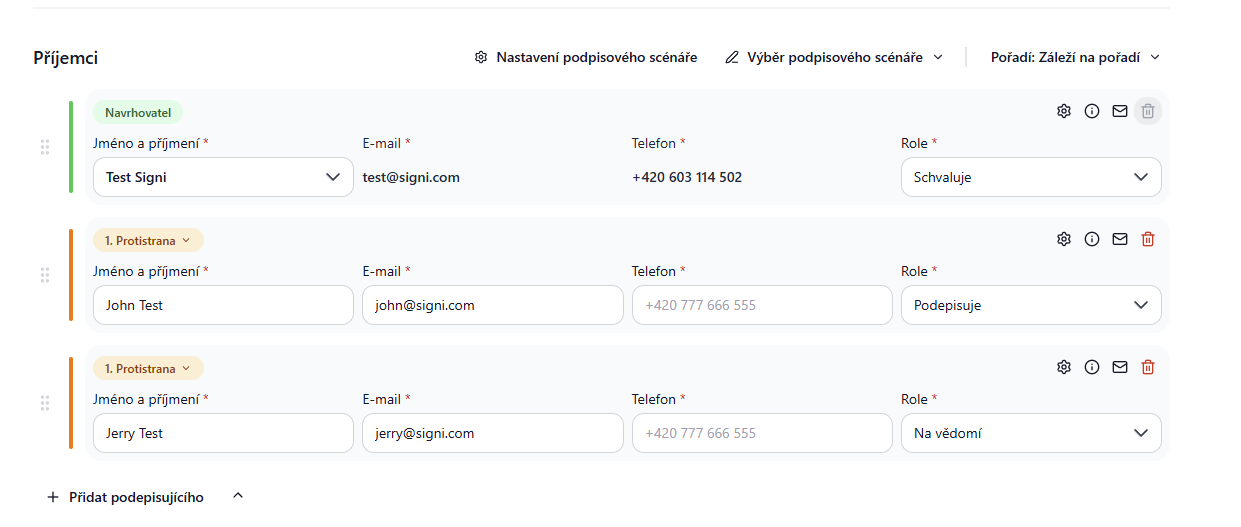 Signing scenario with the "For Information" role on the counterparty side — the responsible salesperson is informed about the proposal and signing of the document.Signing scenario with the "For Information" role on the proposer side — the responsible salesperson or manager, in the example "Linda Kupková", is informed about the proposal and signing of the document.
Note: if a person in the "For Information" role is a member of a workspace team or a registered Signi user, they must have the "Has the right to sign" permission enabled in the team — otherwise they cannot be added to the "For Information" role. The person does not actually sign the document.
Signing scenario with the "For Information" role on the counterparty side — the responsible salesperson is informed about the proposal and signing of the document.Signing scenario with the "For Information" role on the proposer side — the responsible salesperson or manager, in the example "Linda Kupková", is informed about the proposal and signing of the document.
Note: if a person in the "For Information" role is a member of a workspace team or a registered Signi user, they must have the "Has the right to sign" permission enabled in the team — otherwise they cannot be added to the "For Information" role. The person does not actually sign the document.
Warning!!! For Information currently only works for a single document or an entire set of documents. It is not yet possible to combine within a set of documents where, for example, one document is signed by a given person and another document is sent to them only for information and they do not need to do anything with it.
Advantages of "For Information"
What is the advantage of adding a person with the "For Information" role to Signi? That they get clear access to all documents concerning them and the status of their signing.
- If a document is proposed for signing, they see it in the "Waiting for counterparty" folder.
- Once the document is signed, they see it in the "Closed documents" folder.
Moreover, if the backoffice saved the document into a suitable folder in Signi during drafting — for example into a customer's or employee's folder — users with the "For Information" role can use Signi as their "document portal" and, for example, before meetings with a customer, quickly review the status of "their" documents.
How "For Information" works via API
The "For Information" role can also be assigned when creating a document via Signi's public API (Public API). It works exactly as in the application — you just specify it directly in the document creation request.
In the people field (the list of document persons), each person has a contract_role parameter that determines their role. For the "For Information" role, set the value:
"contract_role": "notice"
The contract_role parameter can take these values: sign, approve, stamp, sign_certificate, sign_bank_id_sign, and notice (For Information).
Whether the "For Information" person is on the proposer side or on the counterparty side is controlled by the is_proposer parameter for that person (true = proposer representative, otherwise counterparty) — this corresponds to the two situations described above.
Things to remember:
- For the
noticerole (as with theapproverole), you do not need to specify signature positions — thepositionsparameter does not have to be filled in for this person, because the person does not sign the document. - For a person with the
noticerole, it is enough to provide an email; for unregistered persons, also add the first name, last name, and person type (person_type).
You will then also find persons with the "For Information" role in API responses with the list of signers (signIdentities), where their contract_role is listed as notice along with the current status of the document.
Was this article helpful?
That’s Great!
Thank you for your feedback
Sorry! We couldn't be helpful
Thank you for your feedback
Feedback sent
We appreciate your effort and will try to fix the article