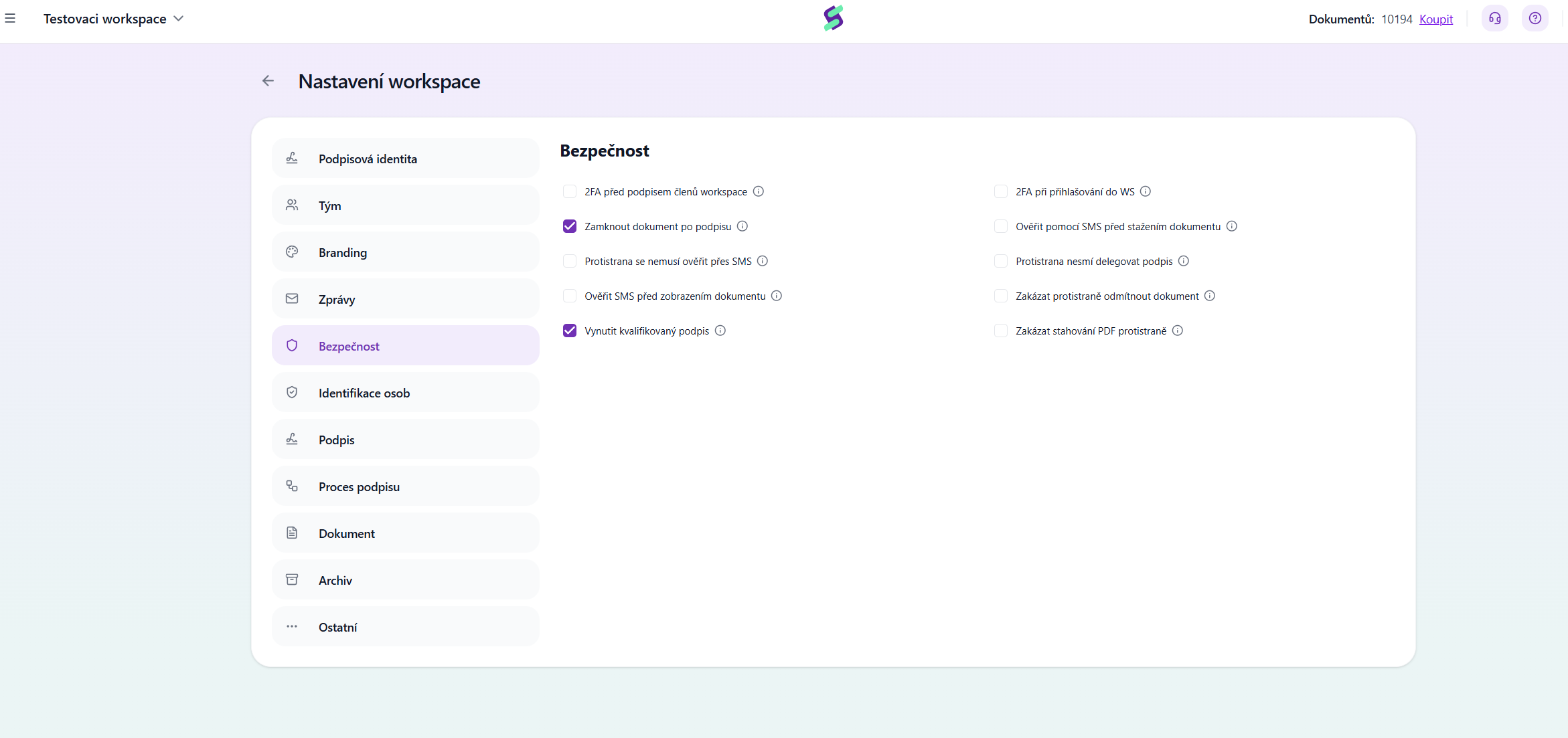
2FA before signing by workspace members
Two-factor authentication via SMS code (PIN) is required for signing by the proposers.
Lock document after signing
The document will be locked after signing, meaning no further signatures can be added to it. If you did not lock the document, it would be possible to re-upload it to Signi and sign it again.
The counterparty does not need to verify via SMS
The counterparty does not have to perform SMS verification (SMS security does not apply to them). Warning: We do not recommend enabling this setting. SMS verification increases the trustworthiness of signatures.
Verify via SMS before viewing the document
Verification using an SMS code is required before the document is displayed. This setting is suitable for documents with sensitive personal data (e.g. a salary statement).
Enforce qualified signature
A qualified electronic signature (QES) is required. Once this option is checked, people will no longer be able to sign with so-called self-signed certificates (created by themselves, for example in Adobe), but only with certificates issued by a qualified certification authority (e.g. I.CA).
2FA when logging into the WS
Two-factor authentication via SMS is required when logging into the workspace.
Verify via SMS before downloading the document
Verification using an SMS code is required before the document is downloaded. By default, you only need to click the Download button.
The counterparty cannot delegate the signature
The counterparty cannot delegate the signature to another person.
Prevent the counterparty from rejecting the document
The counterparty does not have the option to reject the document.
Prevent the counterparty from downloading the PDF
The counterparty cannot download the PDF version of the document. Warning: To prevent the counterparty from downloading documents at all, you must also disable attachments in the Messages section.
Was this article helpful?
That’s Great!
Thank you for your feedback
Sorry! We couldn't be helpful
Thank you for your feedback
Feedback sent
We appreciate your effort and will try to fix the article