Overview
Two-factor authentication (2FA) increases the security of your account in the SIGNI application by requiring a verification code in addition to your password when logging in.
SIGNI uses 2FA via SMS, where a one-time verification code is sent to the user's registered phone number during login.
Availability
The 2FA (SMS) login setting is available to all users of the SIGNI application with a Startup business license or higher.
Turning 2FA on and off
You can turn SMS verification on or off in your account.
When 2FA is enabled:
- After entering your username and password, you will receive a one-time verification code via SMS.
- You must enter this code to complete the login.
When 2FA is disabled:
- Login is done using only your username and password.
How to manage 2FA settings
- Log in to the SIGNI application.
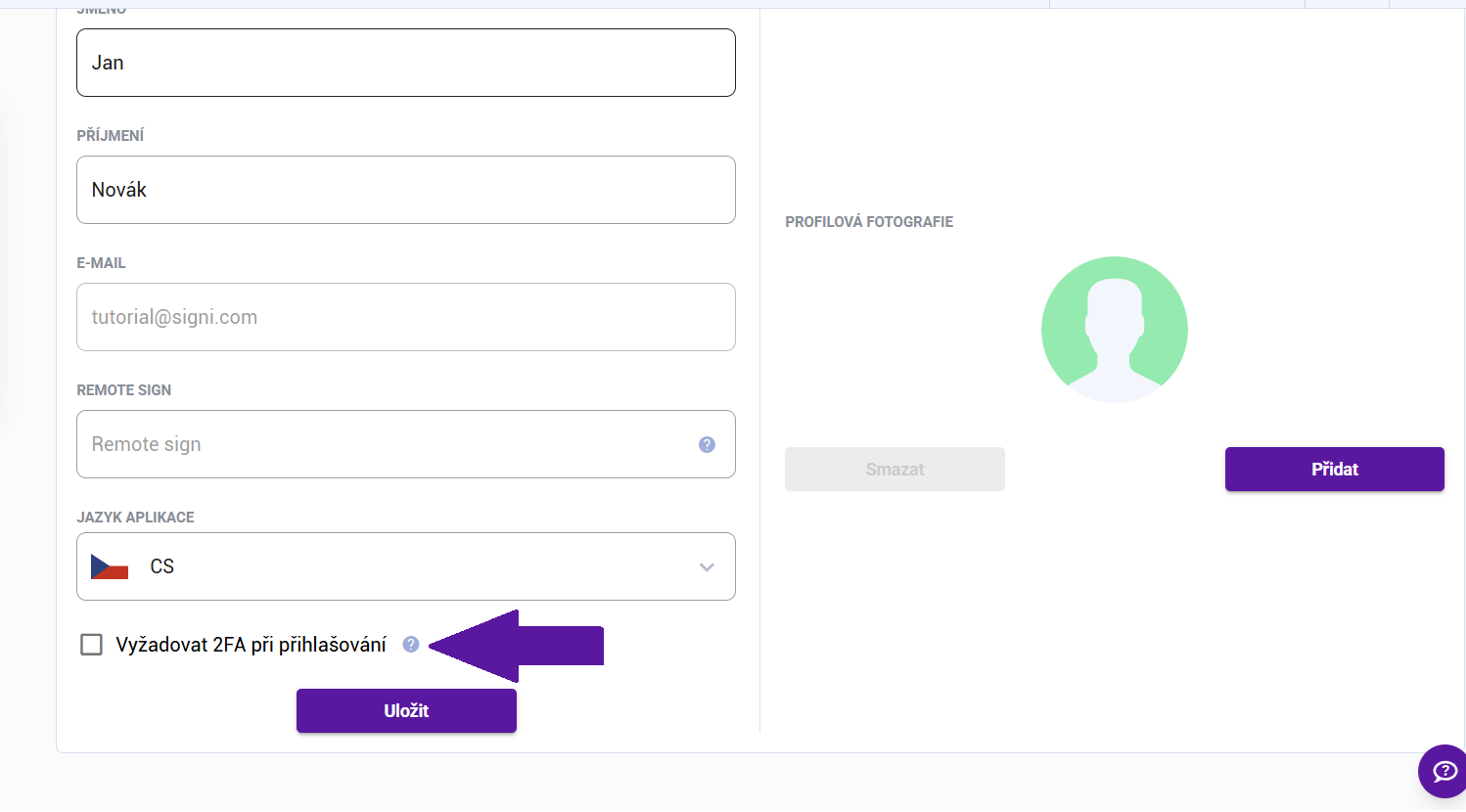
- Go to Account Settings.
- Turn this option on or off as needed.
- Save the changes.
Important information
- Make sure your profile has an up-to-date phone number.
- If you do not receive the SMS with the verification code, check your signal or contact support.
- To increase your account security, we recommend keeping 2FA enabled.
- The administrator of your workspace can enforce 2FA login. In that case, you do not need to turn it on and you cannot turn it off.
Was this article helpful?
That’s Great!
Thank you for your feedback
Sorry! We couldn't be helpful
Thank you for your feedback
Feedback sent
We appreciate your effort and will try to fix the article