What document approval means
In Signi, documents can be processed not only by signing, but also by approval.This feature is useful, for example, in situations where a document does not need to be legally signed, but someone simply needs to confirm or approve it.
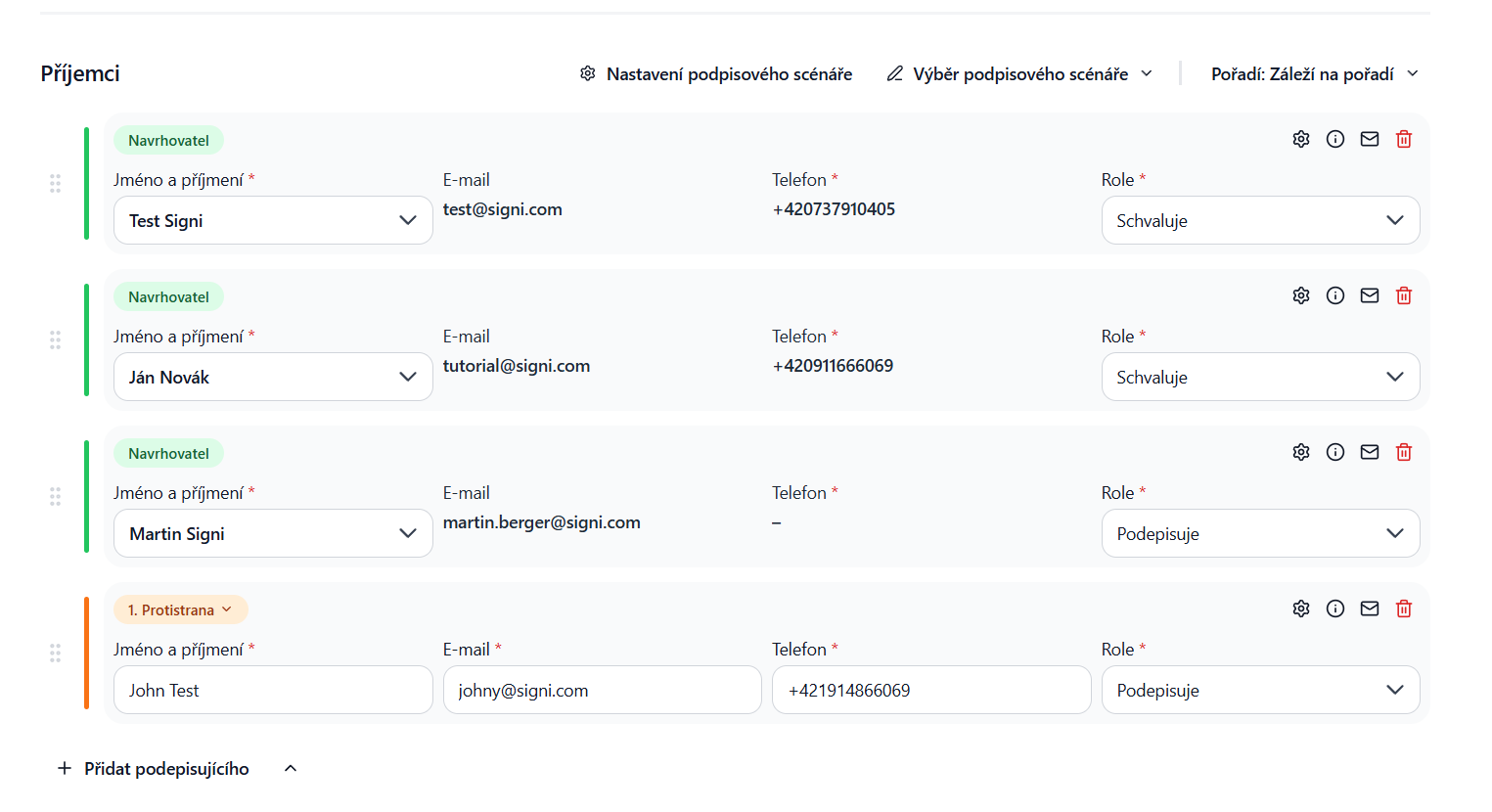
On the signing scenario page, simply select the "Approves" option for the given person.
Practical tip
If you need, for example, the main document (contract) to be signed,
but the attachment (e.g. Terms and Conditions or a product sheet) not, you can, in the signing scenario:
- Set the main document as "Signs",
- For the attachment, in the signature layout, select the "Delete signature" option.
This ensures that the attachment is only attached and approved, not signed separately.
Approval in combination with signing
Unlike purely internal approval systems, Signi can link the approval and signing process even between different parties.
After the document is approved or signed by the sender's representative:
- Signi automatically sends the document or set of documents for approval or signature also to the counterparties (e.g. customers, suppliers, employees),
- after all steps are completed, it sends the completed document to all participants,
- and it can also automatically store it in the organization's internal systems for further processing.
The basic use of the feature consists of two steps:
1. The document author in Signi specifies, in the signing scenario, the person who approves the document.
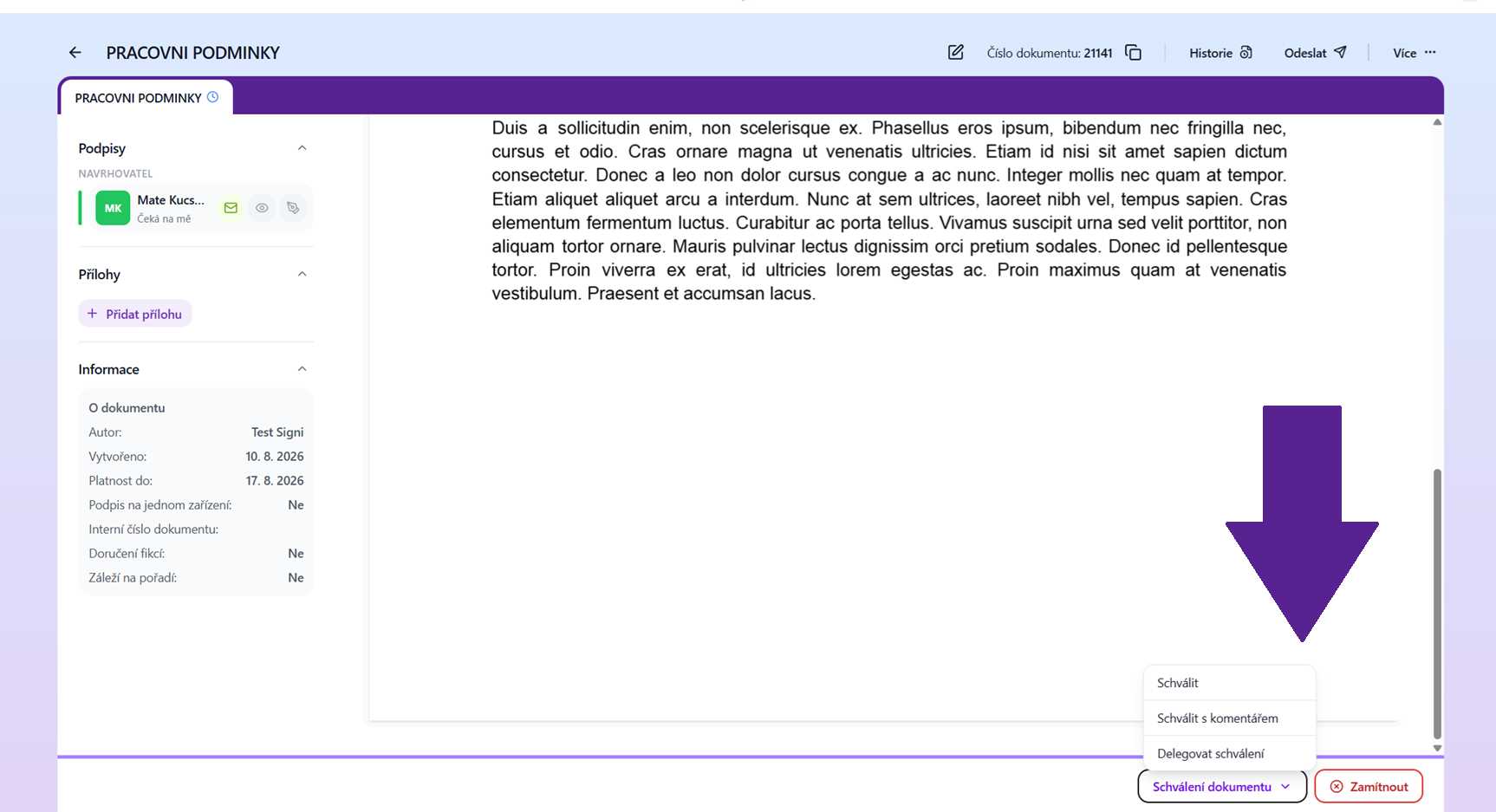
2. The approver receives the document, reviews it and selects "Approve" or "Reject".
 Send the document. You will then see the document ready for approval. You will have two options: approve and reject. If you reject the document, the entire signing process stops and the author will have to create a new document.
Was this article helpful?
That’s Great!
Thank you for your feedback
Sorry! We couldn't be helpful
Thank you for your feedback
Feedback sent
We appreciate your effort and will try to fix the article