Among other reasons, so that executives can prove in the event of a lawsuit that they acted with due managerial care, someone from the company often has to comment on or approve a document before it is signed. In the paper world, a so-called cover sheet or cover page serves this purpose.
In the electronic version, something like this can be created automatically. All you need to do is list the person providing the comment in the signing scenario for the document. This will be a representative or employee of the proposer, i.e. a Signi user with access to the given workspace where the document was drafted, in the role of “Approves”.
In the header of the signing scenario, “order matters” is also checked, i.e. it is clear that the approval will go through first and only then will signing take place.
When a cover sheet / cover page is needed:
- those approving on behalf of the proposer write their notes for the approval,
- those signing on behalf of the proposer see the notes in the left-hand panel when signing the document,
- the note is visible in the audit trail, i.e. the audit stages.
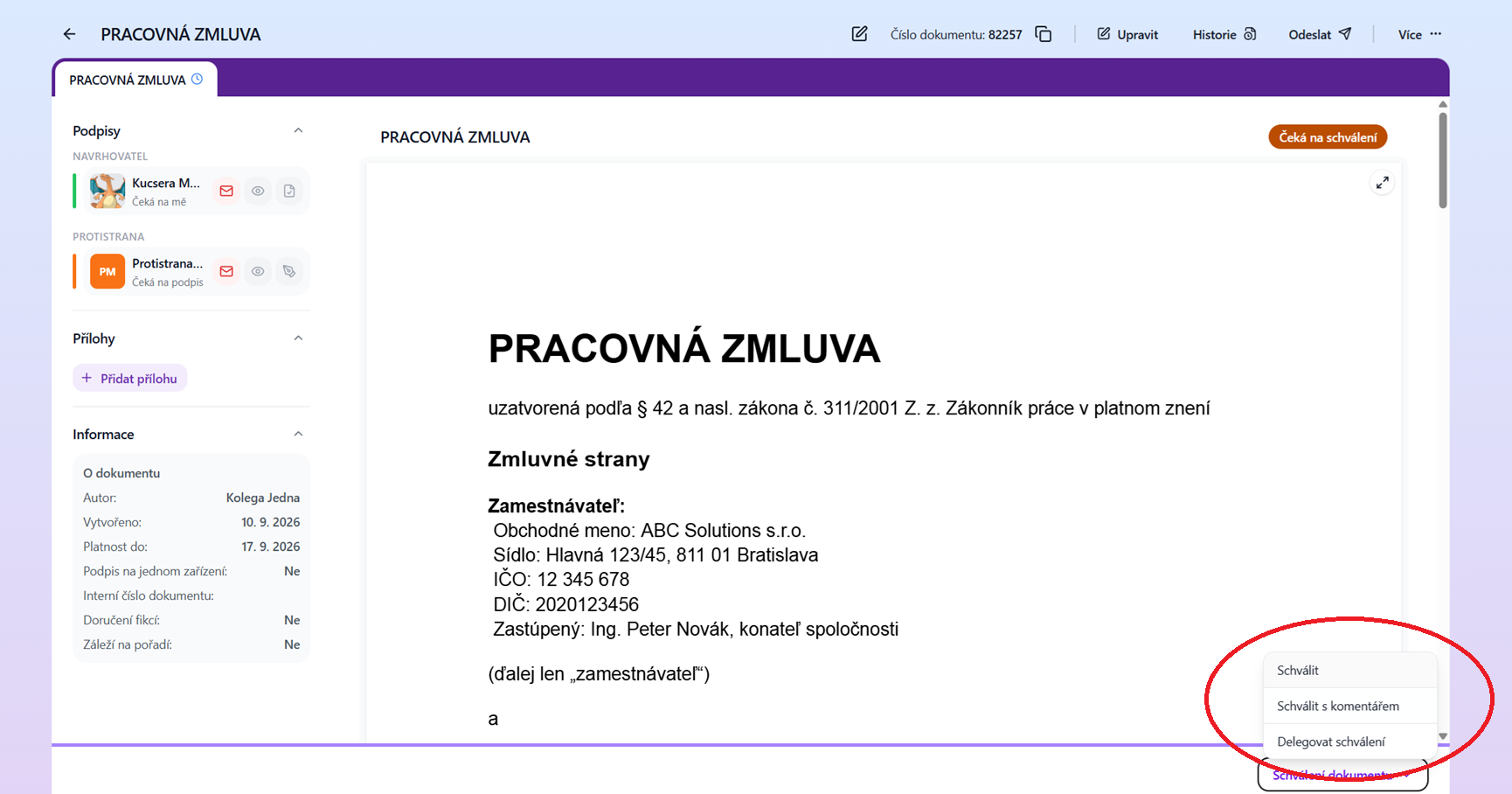
Triggering an approval with a note on the document.
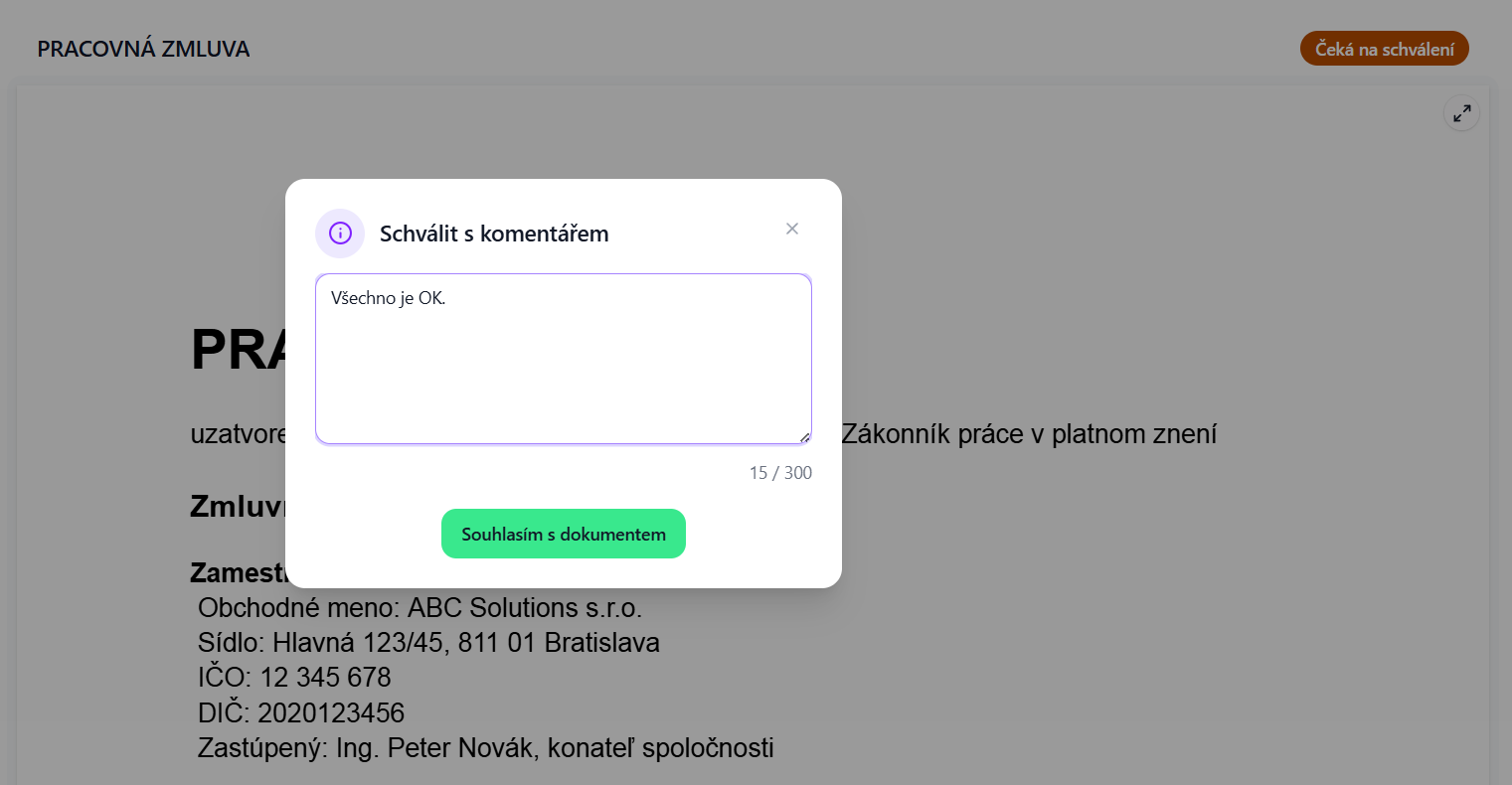
Note for the approval.
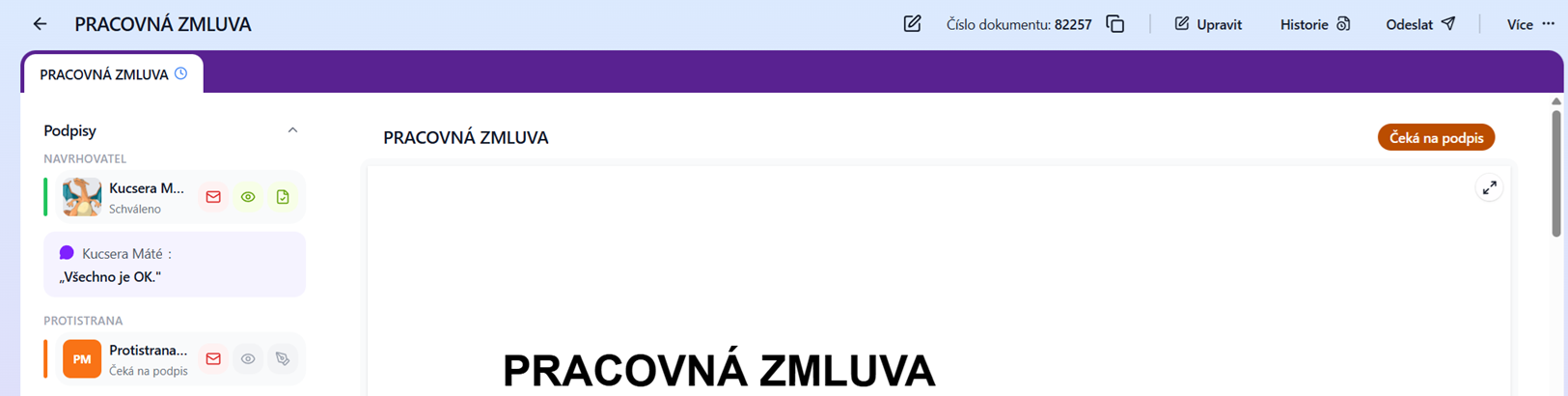
A signer, e.g. an executive, has access to the approval notes for the document from their predecessors in the signing scenario.
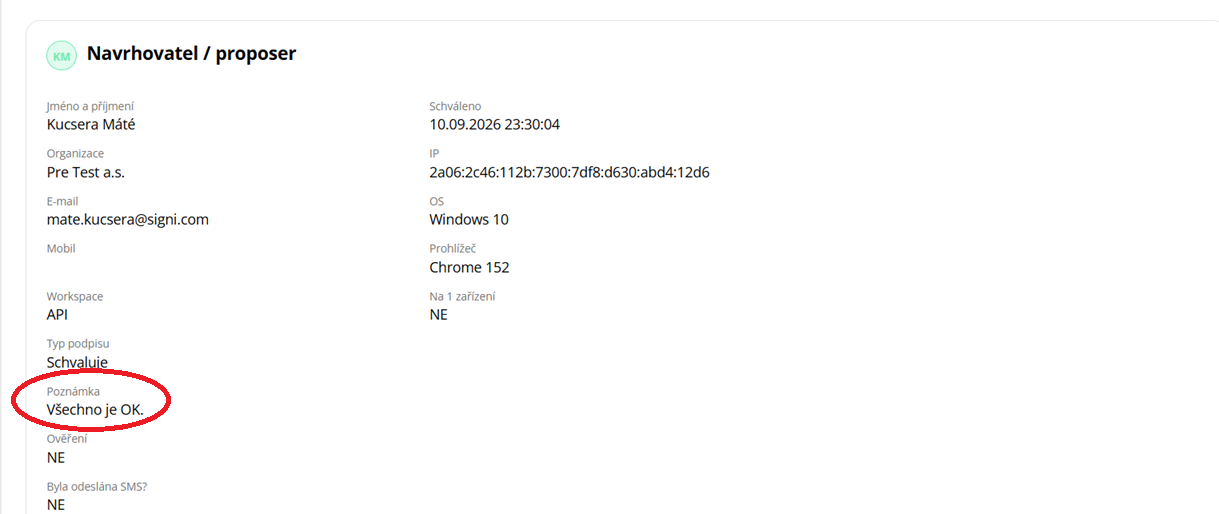
In the audit trail, the approval note is listed next to the relevant approver.
Was this article helpful?
That’s Great!
Thank you for your feedback
Sorry! We couldn't be helpful
Thank you for your feedback
Feedback sent
We appreciate your effort and will try to fix the article