Does your company have documents that can be signed by anyone on the team, where the head of department can sign in place of an absent specialist, or where any 2 of 3 authorized signatories sign? With the Signer roles feature, you can cover these situations too.
Setting up and assigning roles
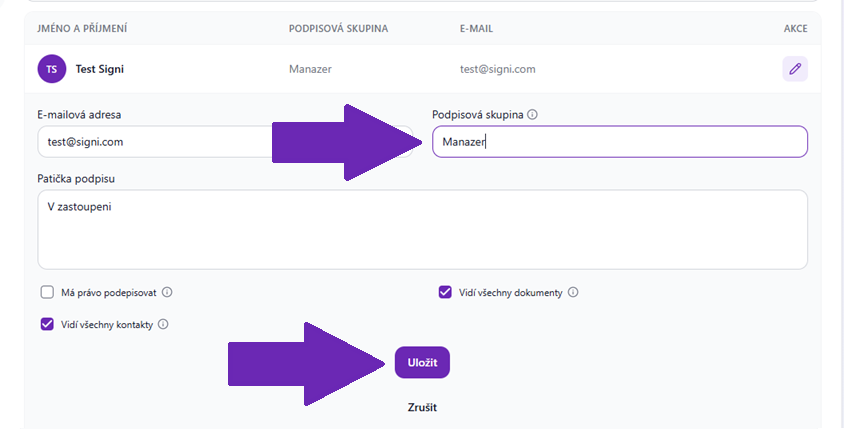
The first step is to invite colleagues to the team in the given workspace and, in addition to permissions, assign them their positions = roles within the company (in this case "managing director").
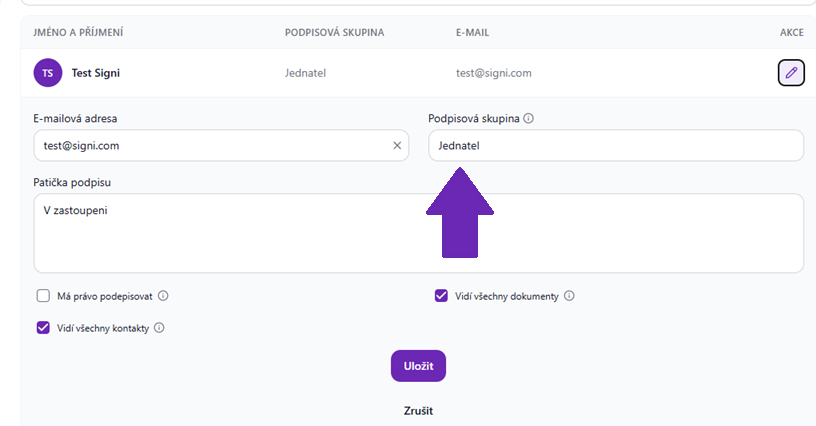
If no role has been defined yet, type its name into the role selection field and confirm the role by saving the team member or sending the invitation.
Using a role in a signing scenario
Upload the selected document to the app and click "Create draft".
In the document header, the logged-in user is preset as the Proposer by default. If you want to keep the proposer, leave them there, or you can remove them.
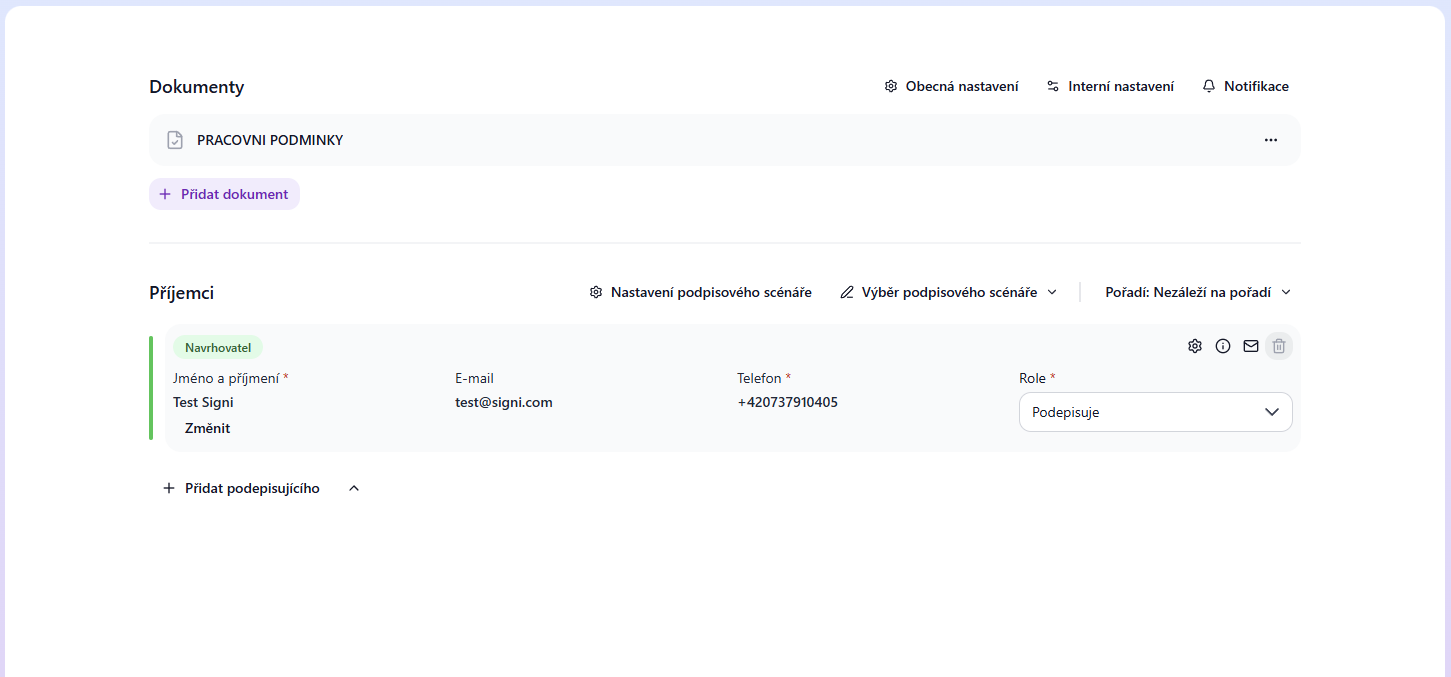
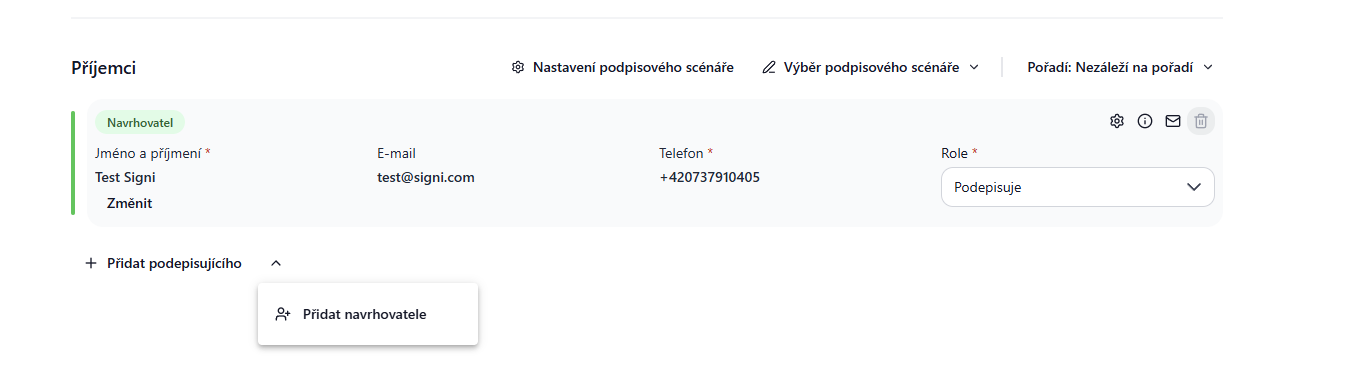
Next, click the arrow below next to the Add signer button. Then click Add proposer and select the signing group at the very bottom of the list.
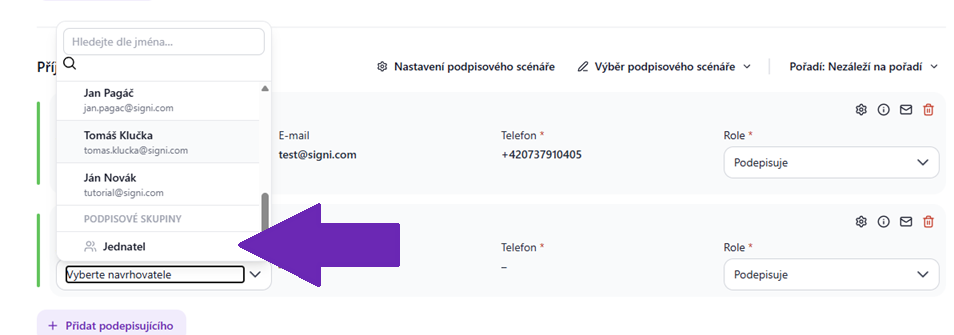
After selecting the position, click the "Continue to document content" button and then insert the signature fields in the standard way. Send the document by clicking the "Send for signature" button.
Signing by someone in the given role
Every person who holds the given role / position in your company will then be notified that the document is awaiting signature.
The moment one of them signs the document, the document will be closed and the link to it will become invalid for the others.
If you are interested in this feature, please send us an email at care@signi.com.
Was this article helpful?
That’s Great!
Thank you for your feedback
Sorry! We couldn't be helpful
Thank you for your feedback
Feedback sent
We appreciate your effort and will try to fix the article