A component is one specific check that the verified person goes through. You build verification groups from components. Here's an overview of what each one verifies and what the verified person does.
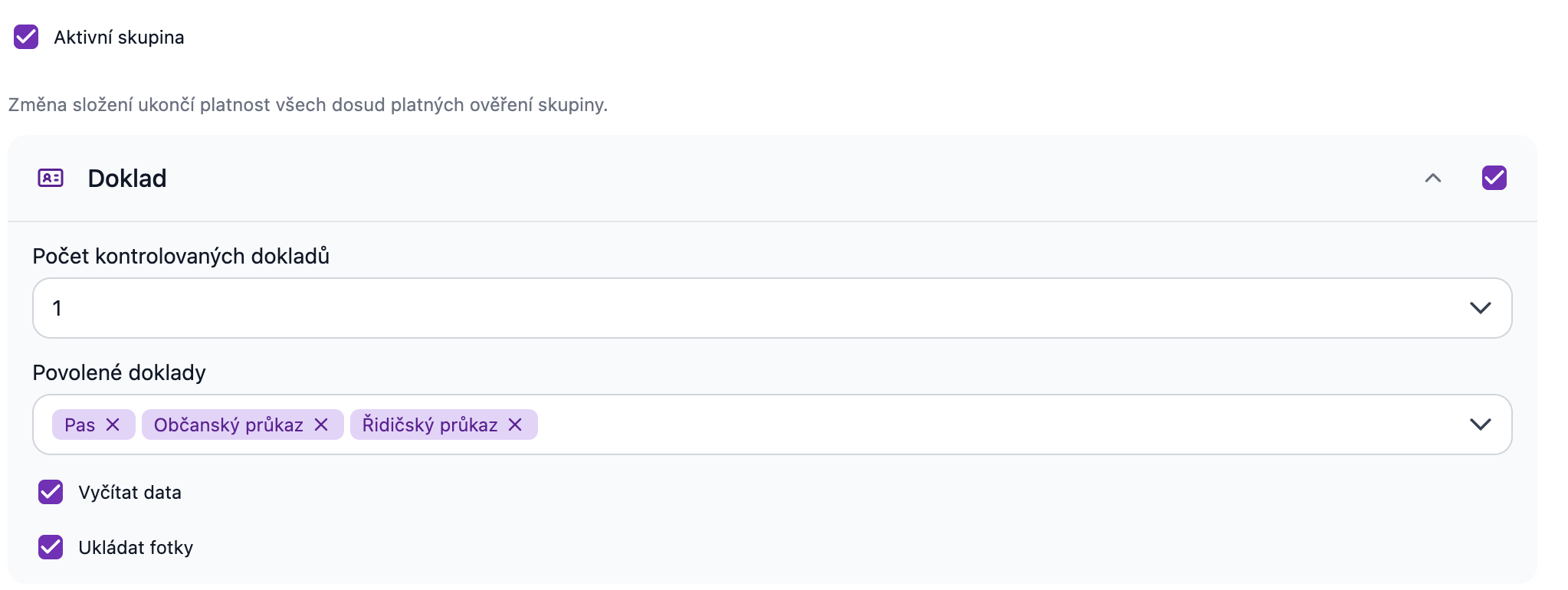
Document
The verified person photographs their identity document (ID card, passport…). Signi, in cooperation with its partner iDenfy, verifies the document (authenticity, security features, legibility) and extracts data from it: first and last name, date of birth, document number and validity, nationality, and for Czech documents the personal identification number. You then see this data during verification review next to the data from the contact — including a warning when the name doesn't match. For documents, you can specify which documents you allow the counterparty to upload (for example, only an ID card). You can also choose to require two documents to be uploaded. The second document serves as supporting material; we don't extract data from it.
Liveness + Selfie
The verified person takes a selfie and, with a brief movement in front of the camera, proves they are a live person (not a photo or video). The selfie is compared with the photo on the document. Liveness is always part of document verification — it cannot be enabled on its own.
BankID
The verified person logs into their bank (bank identity) and the bank passes their verified data to Signi. The fastest route for anyone who has Czech internet banking. It requires BankID to be enabled in the workspace; if you don't have it, contact us at care@signi.com.
Verification micropayment
The verified person sends a symbolic payment from their bank account (via QR payment); the match of the account owner with the verified person confirms their identity. It requires an account set up to receive micropayments in the workspace (Workspace settings → Person identification → Payment method).
Questionnaire
The verified person confirms a statement that you set up — e.g. agreement with terms, a declaration of honor about the origin of funds, or other text required by your process. For this component you set the questionnaire text, the checkbox text, and the button text, in each language in which you verify (Add language). The Required option determines whether it's possible to continue without agreement.
Sanctions list check
Signi screens the verified person against sanctions lists and lists of politically exposed persons (PEP check). It requires BankID or Document in the same group — the check needs a verified name and date of birth.
Typical combinations
| Purpose | Group |
|---|---|
| Quick verification via BankID | BankID |
| Verification without bank identity (foreigners, people without a Czech bank) | Document + Liveness |
| AML verification | Two documents + Liveness (or BankID at the Identify AML level) + Sanctions list check (PEP check) |
| Statement only | Questionnaire |
You can offer the verified person two groups at once (e.g. BankID, or document + selfie) — they choose which route to take.
Where to go next
Related terms: remote identification · distance verification · counterparty identity verification
Was this article helpful?
That’s Great!
Thank you for your feedback
Sorry! We couldn't be helpful
Thank you for your feedback
Feedback sent
We appreciate your effort and will try to fix the article