A verification group defines how the counterparty must prove their identity — it's a set of checks (components) the person being verified goes through. You can have several groups and choose the right one for each verification: stricter for high-value contracts, simpler for routine documents.
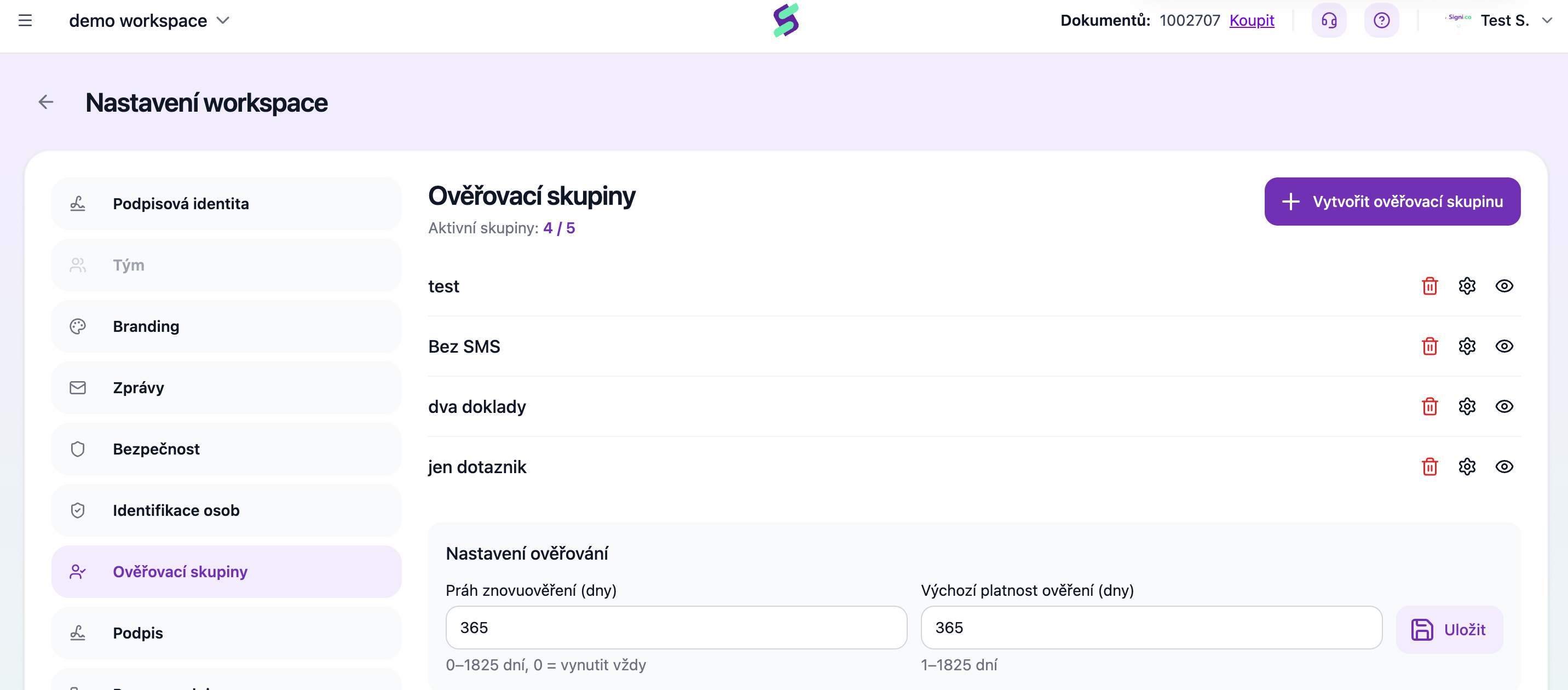
You manage groups in Workspace Settings → Verification groups.
Creating a group
Click Create verification group and fill in:
- Verification group name — you'll see the group under this name when creating a document and in the verification history.
- AML — tick this if the group is meant for AML-level verification. Signi then handles the verification data according to stricter data retention rules (see Verification record and data retention).
- Active group — only active groups are offered when creating a verification. An inactive group stays saved but won't be used.
- Components — tick the checks the person being verified should go through (each described in the article Verification components). Some have conditions: liveness can only go together with a document, and sanctions list checking requires BankID or a document.
- Verification validity (days) — how long an approved verification is valid (1–1825 days). During this time Signi reuses it for further documents.
- Automatically add when creating a document — the group is pre-filled for every counterparty on new documents.
Save.
Editing and deleting
For each group in the list there are preview, edit (gear) and delete icons.
Warning: changing a group's composition (adding or removing a component) ends the validity of all currently valid verifications in this group. Counterparties who had completed their verification will go through it again. If you want to change the checks, consider creating a new group instead of editing the old one.
Verification settings for the whole workspace
Below the list of groups there is a Verification settings block:
- Re-verification threshold (days) — how many days before the end of validity Signi requests a new verification instead of using the existing one (0–1825 days;
0= verification is always enforced, even if a valid one exists). - Default verification validity (days) — the validity used where a group doesn't have its own (1–1825 days).
How many groups you can have
Above the list you can see the counter Active groups: X / Y — Y is the limit of active groups for your workspace.
Where to go next
Related terms: remote identification · remote verification · counterparty identity verification
Was this article helpful?
That’s Great!
Thank you for your feedback
Sorry! We couldn't be helpful
Thank you for your feedback
Feedback sent
We appreciate your effort and will try to fix the article