You can organize documents in your account into your own folder, which you can easily create.
On the left side, select Documents in the menu and then + New folder. The system will offer a window where you enter the name of your folder.
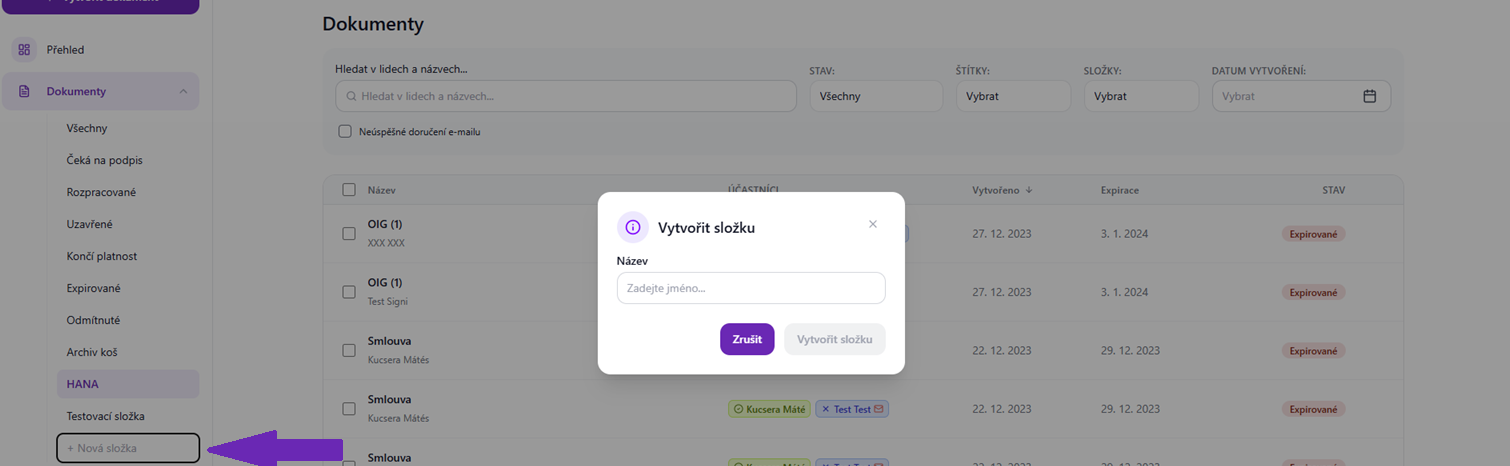
Then confirm with the Create folder button.
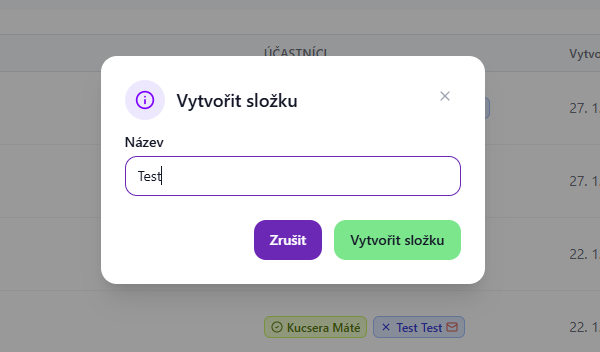
In the menu on the left side, in addition to the standard folders, the one you created will then appear. You can now easily move selected documents into it, for example by selecting one or more documents and confirming with the Move to folder option that appears above the list of documents.
Alternatively, you can click the three dots at the end of a document row and select the Move to folder option.

In the folder selection, choose the desired folder and confirm. The document or documents will be moved there immediately.

Was this article helpful?
That’s Great!
Thank you for your feedback
Sorry! We couldn't be helpful
Thank you for your feedback
Feedback sent
We appreciate your effort and will try to fix the article