Using Signi Archive is the easiest and safest way to ensure long-term archiving of documents signed in Signi. The archive provides a secure storage environment designed specifically for long-term document preservation while maintaining compliance, integrity, and accessibility.
How Signi archive Works
When the Signi archive module is enabled:
6 months after a document is created, the final signed PDF is automatically moved from Signi to the Signi Archive.
The Signi Archive is a secure storage facility that meets the requirements for long-term archiving.
⚠ Important:
|
Document Availability in Signi
Even after a document is archived:
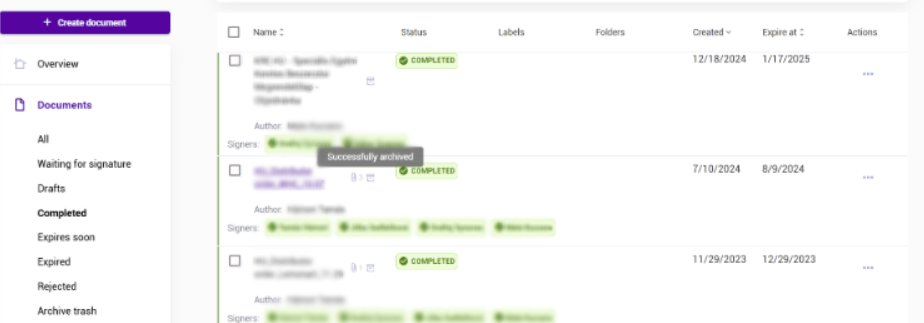
The document record remains available in the Documents section of Signi.
Users can search for the document and view its details.
When a user opens an archived document, Signi retrieves the PDF from the archive.
All access to archived documents is logged.
Archived documents are marked with a small archive icon.
You can archive:
Individual documents
Entire document packages (bulk archiving)
Main Functions of Signi Archive
Full integration with Signi
Automatic recovery of signature stamps
Logging of document access and activity
Logical deletion (secure shredding) of documents and metadata
Trust and integrity assurance
Full compliance with eIDAS and GDPR
Support for standardized PDF/A format
Typical Use Cases
Signi Archive is suitable for long-term storage of:
Contract documentation
Internal documents and directives
Orders and protocols
Project documentation
Warranty certificates
HR documents
Archiving Parameters
When using Signi Archive, you can define how long documents should be stored:
5 years
10 years
20 years
30 years
How documents are moved to the archive
The user defines:
How long after document completion (signing or approval) the document should be archived
Whether documents should be archived individually or bundled
At the defined time, Signi automatically moves the document to the archive.
Only the PDF file is archived:
All metadata (document name, signatories, signing dates, etc.) remains in Signi.
The document record remains searchable in Signi and is clearly marked as archived.
Accessing archived documents
Users access archived documents via the Documents section in Signi.
If an archived document is opened:
Signi retrieves it from the archive
The access is logged
The document is displayed as read-only
The document is clearly marked with an archive indicator
PDF/A and long-term archiving
PDF/A is a standardized format designed for long-term document preservation. It ensures that documents remain readable even after decades (e.g. 30 years).
Currently, SIGNI is able to convert uploaded documents to PDF/A if it´s needed.
Please note that conversion may slightly change the document’s visual appearance.
Pricing of the Signi archive module
The cost of Signi Archive consists of:
A one-time activation fee
Ongoing archiving fees, based on:
The length of the archiving period
Whether documents are archived individually or in bundles
Whether a cloud archive or a dedicated company archive is used
For detailed pricing, please contact us at care@signi.com
Was this article helpful?
That’s Great!
Thank you for your feedback
Sorry! We couldn't be helpful
Thank you for your feedback
Feedback sent
We appreciate your effort and will try to fix the article