When the person being verified completes the checks, the verification moves to the To review state and waits for you. You can review and decide from the contact detail (Verification section → Review) or from the document detail at the relevant counterparty.
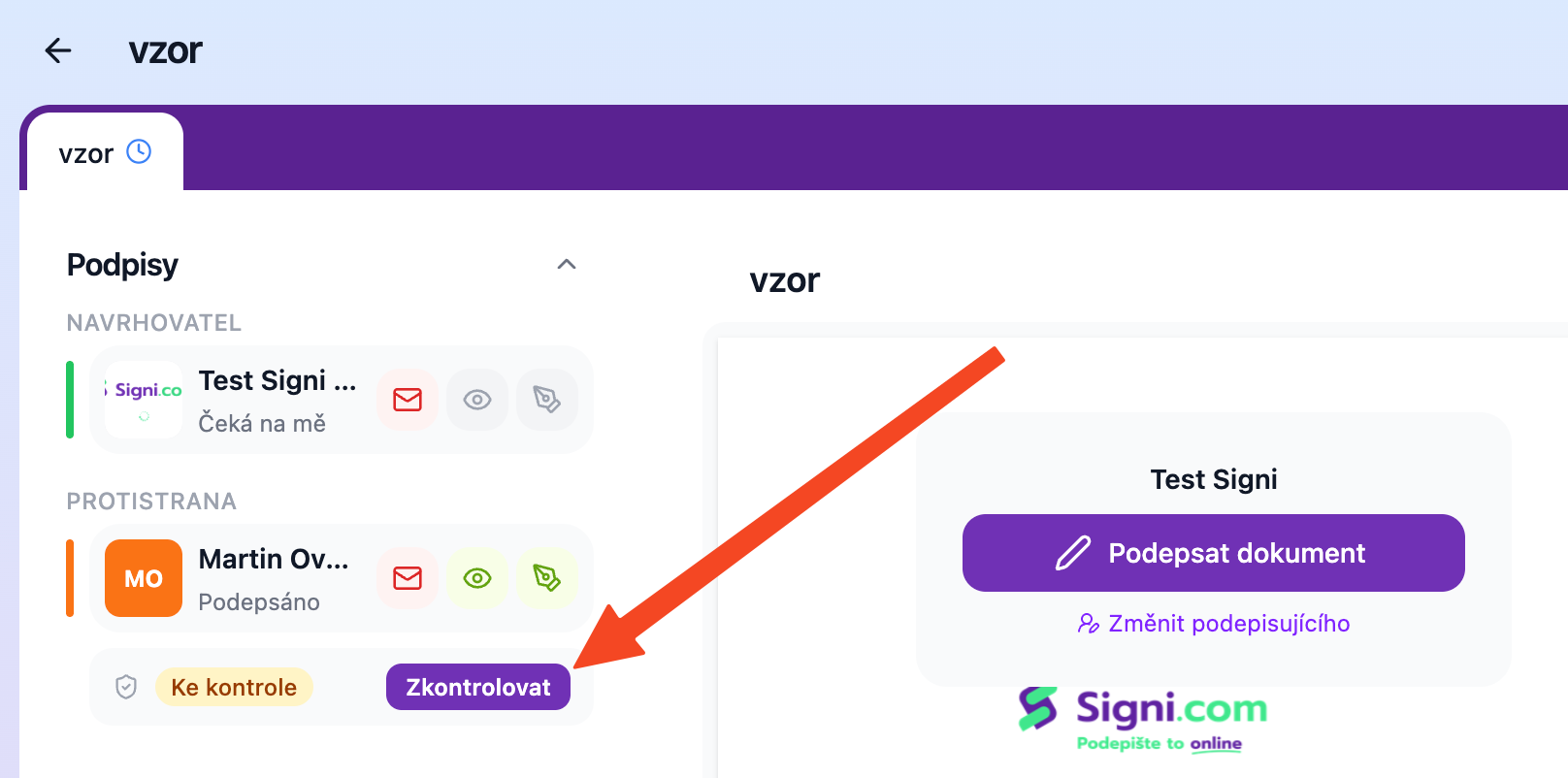
What you'll see in the review
The User verification dialog shows everything Signi found during verification:
- Data from the ID document next to the contact's data — first and last name, date of birth, gender, document type and number, date of issue and validity, nationality, country of issue, and for Czech documents the birth number. When the name on the document does not match the name in the contact, Signi highlights it ("Name does not match") — usually a typo or nickname in the contact, but it may also be a reason for rejection.
- Documents — photos of the front and back of the ID document and a selfie; click to enlarge them.
- Verification components — each check with its result (OK / Failed / Error).
- Verification history — all runs for this contact with date, group, and status.
Approval
Approve — the verification is valid for the period set for the group; while it is valid, it is reused for further documents. The counterparty does not wait for your approval to sign — they can sign as soon as the checks are completed.
Rejection
Reject — when the data doesn't match, the photos are illegible, or something is off. You can give a reason (the person being verified will see it) and decide whether to give them a new attempt — Signi will then create a new verification with the same groups and the person being verified will receive an email with a link to try again.
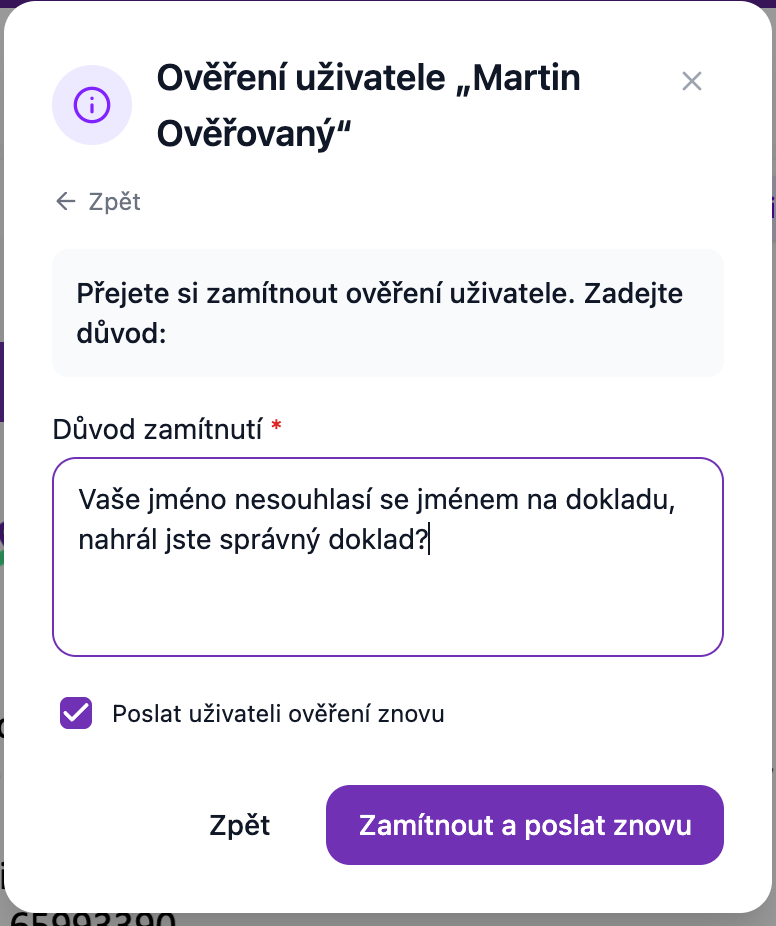
Difference: Rejected vs. Declined
Rejected = you decided. Declined = the person being verified refused to go through verification themselves; you'll find their reason in the verification detail.
Who can review
Verification is reviewed and approved by the document sender, i.e. the workspace user who started the verification. The decision is recorded in the verification sheet.
Where to go next
Related terms: remote identification · distance verification · counterparty identity verification
Was this article helpful?
That’s Great!
Thank you for your feedback
Sorry! We couldn't be helpful
Thank you for your feedback
Feedback sent
We appreciate your effort and will try to fix the article