The notification feature allows you to automatically inform selected users about an upcoming draft expiration. You can define who should receive the notification and when, according to your needs. This article will show you how to set up notifications step by step.
1. Setting up notifications
In the Notifications section, you can determine how often you want to send reminder emails to signatories. This lets you customize the frequency of reminders and ensure that all signatories are informed regularly and on time.
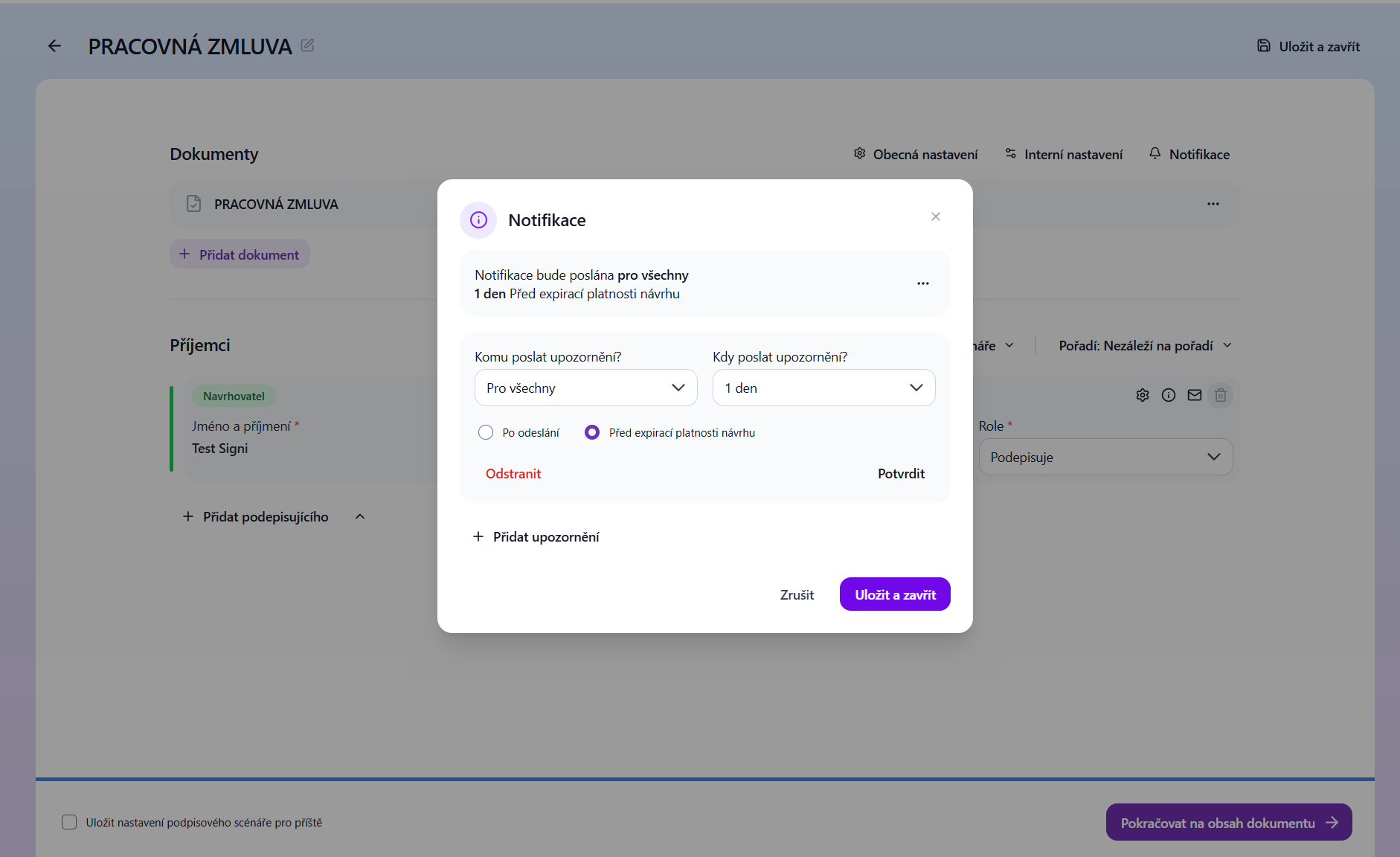
The image shows the basic notification setup. Here is an overview of the individual fields and options:
- Who should receive the notification?
- You can choose:
- For everyone: The notification will be sent to all users who have access to the draft.
- Specific people: You can select a particular person to receive the notification.
- You can choose:
- When to send the notification?
- Enter how many days before expiration / after sending the draft the notification should be sent. For example:
- 1 day before the draft's expiration date: Users will receive a notification 1 day before the draft expires.
- You can also set other intervals (e.g., 3, 7 days, etc.).
- Enter how many days before expiration / after sending the draft the notification should be sent. For example:
- Notification type:
- After sending: The notification will be sent immediately after the contract is sent.
- Before the draft's expiration date: The notification will be sent before the draft expires.
2. Adding more notifications
If you want to create multiple notifications, click the "Add notification" button. This way you can set up different notifications for different recipients or time intervals.
3. Saving the settings
After finishing the notification setup, don't forget to click the floppy disk icon (save) next to each setting. If you need to remove a notification, click the trash icon.
Usage example
- For everyone: The notification will be sent to all users 1 day before the draft expires.
- For a specific person: For example, you can set a specific manager to receive a notification 3 days before the draft expires.
Was this article helpful?
That’s Great!
Thank you for your feedback
Sorry! We couldn't be helpful
Thank you for your feedback
Feedback sent
We appreciate your effort and will try to fix the article