In the SIGNI app you can send multiple files at once for signing. Documents can be sent either as:
- separate, independent documents, or
- a main document with attachments
Instead of a single file, you can simply upload multiple documents at the same time.

Document charging
By default:
- each document or attachment is charged one credit
- a credit is therefore deducted for every uploaded file
However, if you have purchased envelopes, only one envelope is deducted upon sending, regardless of the number of files it contains.
Working with multiple documents
After uploading the files, you proceed in the standard way:
- Fill in the sender and the counterparty
- Continue to the document preview
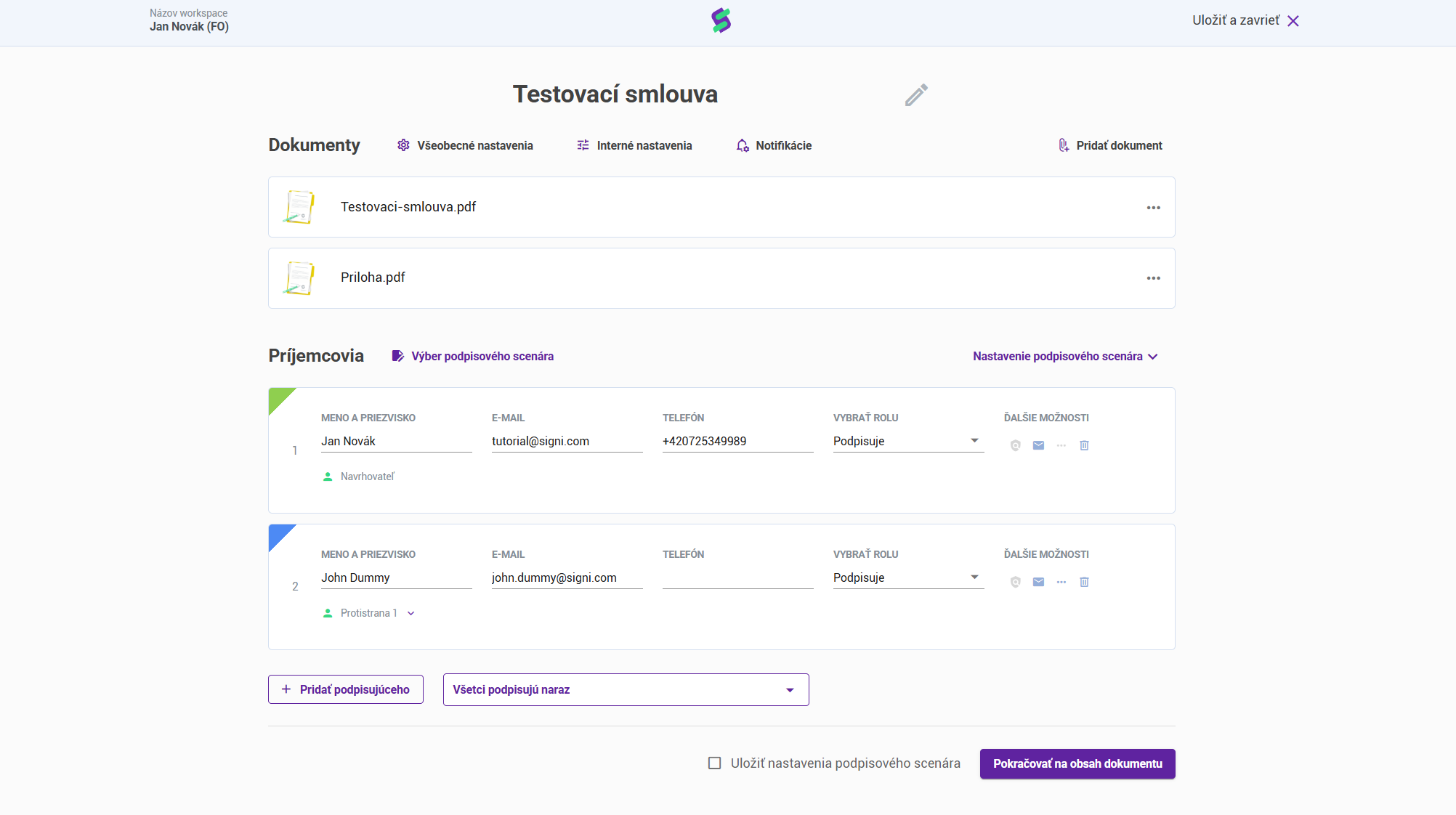
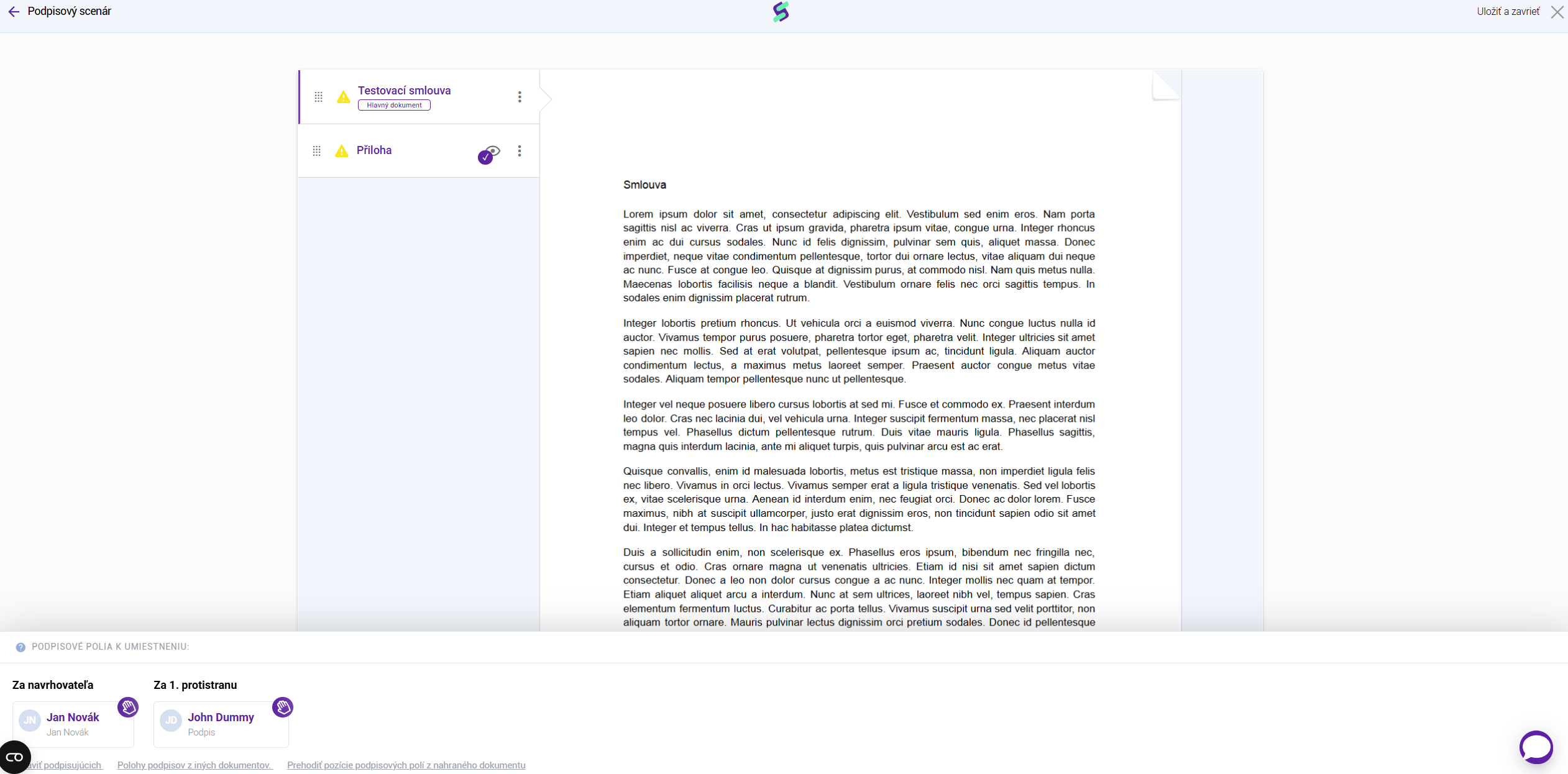
Unlike working with a single file, here you will:
- see multiple documents in tabs
- each tab corresponds to one uploaded file
Signatures and sending
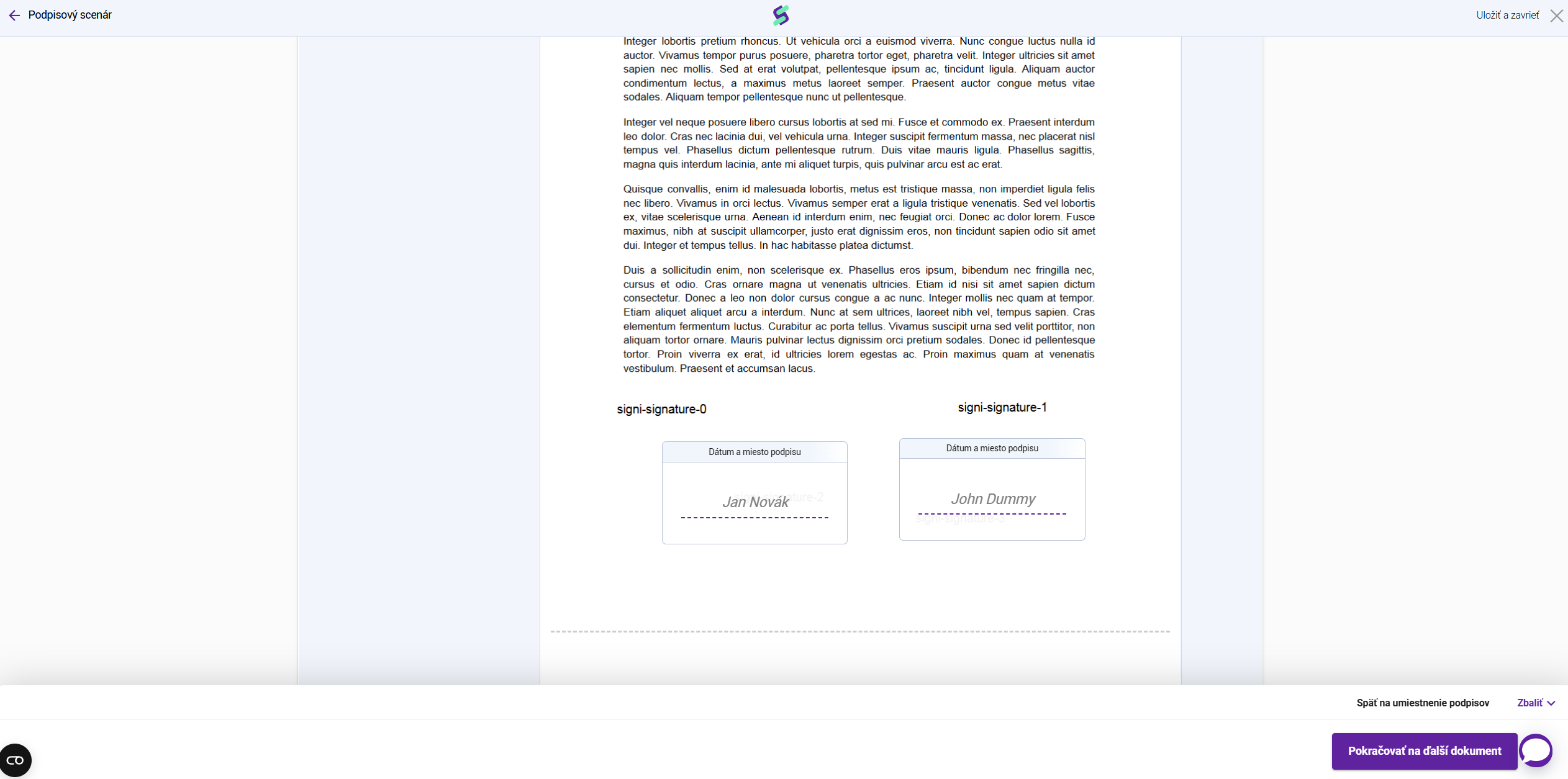
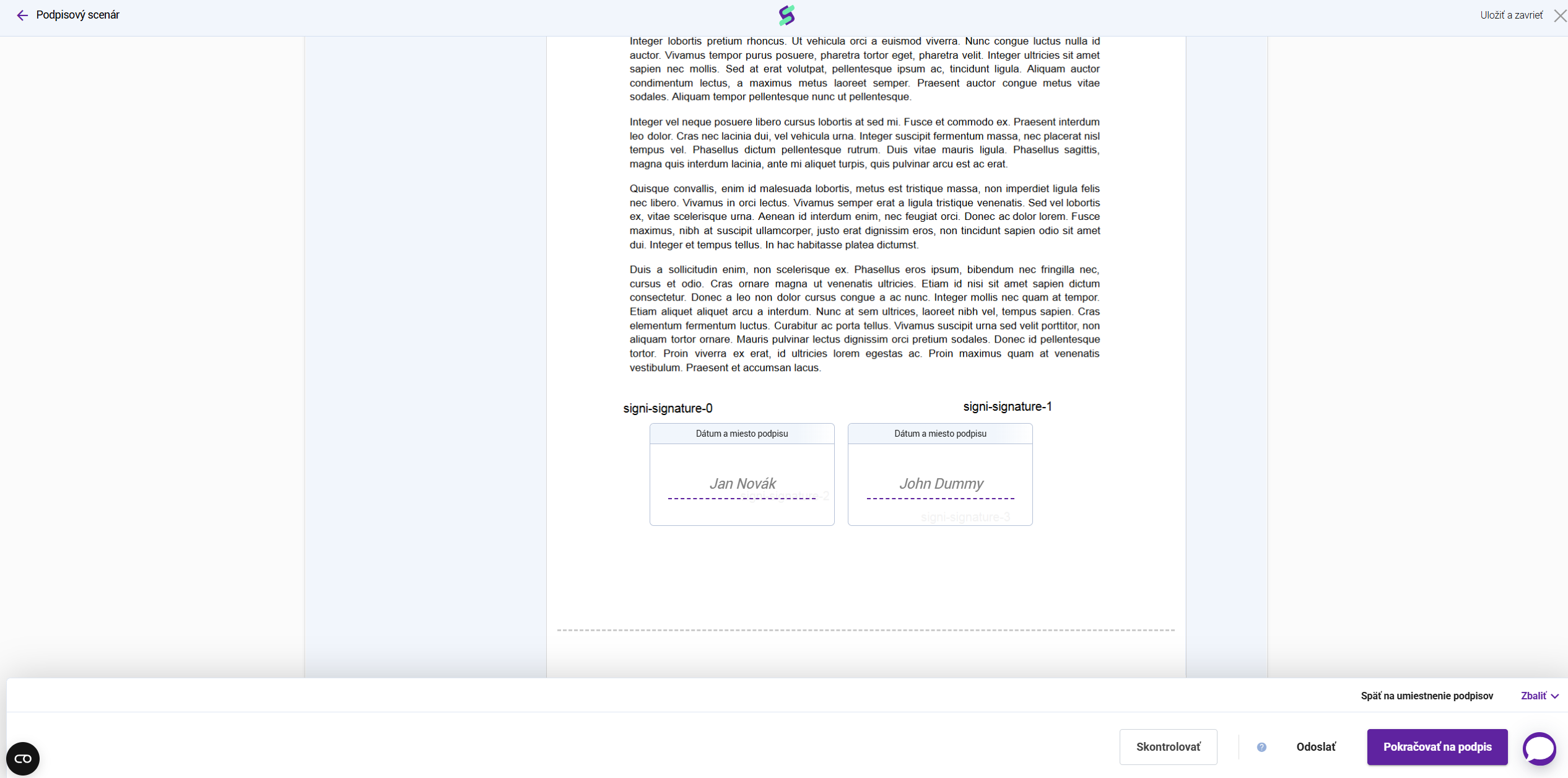
For each document you must:
- place the signature fields separately
- confirm / sign the document separately
- send the document separately
Even though the documents are sent within a single envelope, each file has its own signature fields and its own confirmation process.
Was this article helpful?
That’s Great!
Thank you for your feedback
Sorry! We couldn't be helpful
Thank you for your feedback
Feedback sent
We appreciate your effort and will try to fix the article