I.CA RemoteSign is a service by the First Certification Authority (I.CA): your qualified certificate is securely stored remotely at I.CA, and you confirm every signature in the I.CA RemoteSign app. This means you don't need a smart card or reader — you can sign with a qualified signature from anywhere.
What you need
- RemoteSign set up with I.CA — a certificate for I.CA RemoteSign needs to be ordered from the First Certification Authority at www.ica.cz/ica-remotesign.
- Linking with your Signi account — in Signi, open Personal details (account settings) and enter your User ID from the I.CA RemoteSign service in the Remote Sign field. Save it — from that moment on, Signi can offer you signatures using this method.
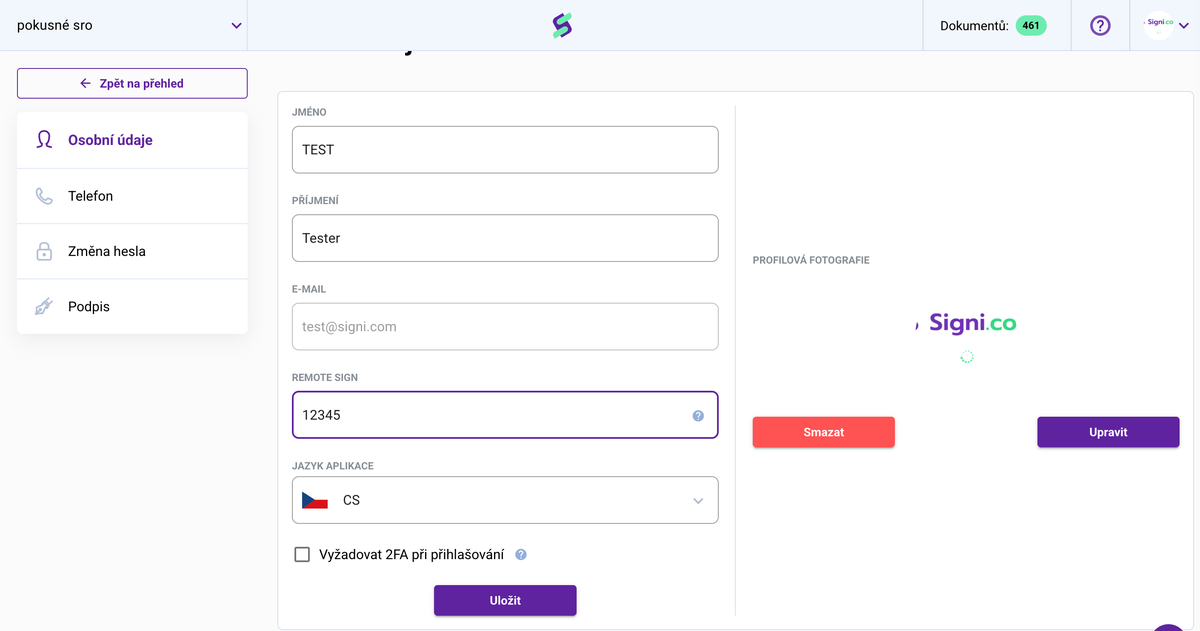
You can find your User ID in the I.CA RemoteSign app: Settings → User information → User ID.
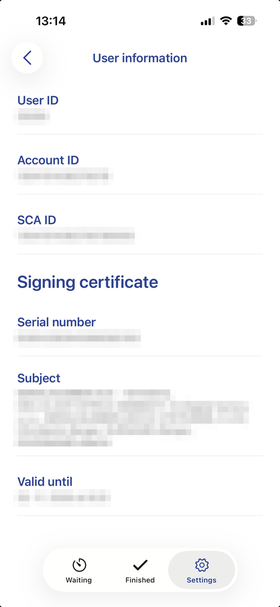
How signing works
When the sender assigns you a signature using the RemoteSign method (or you choose it in the signing wizard), Signi hands the document over for signing to the I.CA service — you simply confirm the signature in the I.CA RemoteSign app, and your qualified signature is added to the document.
Where to go next
Was this article helpful?
That’s Great!
Thank you for your feedback
Sorry! We couldn't be helpful
Thank you for your feedback
Feedback sent
We appreciate your effort and will try to fix the article